8 Week Pilot to Automate Creative Workflows for Creative Teams
8 Week Pilot to Automate Creative Workflows for Creative Teams

Centralize your assets into one library, then automate a single repeatable workflow end to end before touching anything else. The highest-value targets are version control, review and approval routing, and routine file transforms like resizing or transcoding. Run one pilot for two to three weeks. Most teams see fewer review rounds and less time spent hunting for files almost immediately.
TL;DR:
- Automate high-impact, low-complexity tasks like status notifications, format exports, and file renaming, which are frequent and easy to implement.
- Start small with one predictable workflow, such as weekly social assets, and ensure assets are organized and labeled consistently before automating.
- Use a central asset library with version control, a rules engine for workflow orchestration, and connectors for seamless tool integration to build reliable automation systems.
- Build automation rules and review gates that focus on routing decisions rather than creative judgment to prevent errors like live batch-resize failures.
- Run an eight-week pilot, mapping current workflows, setting clear goals, and documenting routines to prove value and establish a scalable process.
Table of Contents
- How Do You Prioritize What to Automate First?
- What Tools Do You Actually Need?
- How Do You Automate Review, Approval, and Version Control?
- What Does an 8-Week Automation Pilot Look Like?
- How Does This Play Out in a Real Post-Production Setup?
- What Happens When Your Team Pushes Back?
- Try Posthive for Your Next Automation Pilot
- Sources
- FAQ
How Do You Prioritize What to Automate First?
Start by mapping your actual process, not the one in your onboarding deck. Walk through brief, production, review, approval, and delivery, and time each stage for two or three real projects. You’ll usually find the same three culprits: status update emails, manual file prep before export, and chasing approvals through Slack or inboxes. PMI’s guidance on business acumen makes a point worth repeating here: teams that skip baseline measurement can’t prove ROI later, and they often automate the wrong thing.
Once you have timing data, score each candidate task on four factors:
- Impact — how much time or friction does this task actually cost per week?
- Frequency — does it happen on every project or just occasionally?
- Complexity — can it be automated with existing tools, or does it need custom development?
- Risk — what happens if the automation fails silently?
High-frequency, low-complexity tasks (status notifications, format exports, file renaming) win every time over ambitious but risky ones like automating creative sign-off logic. Adobe’s breakdown of workflow automation for creative teams backs this same pattern: start small, prove the model, expand.
Pick one predictable, repeatable workflow, ideally something like a weekly social asset batch or a recurring client deliverable, and automate it start to finish. Resist the urge to run three pilots at once.
Pro Tip: Don’t automate a mess. If your files are scattered across five drives with inconsistent names, fix that first. Automation on top of chaos just moves the chaos faster.
The most common mistake is trying to automate creative judgment itself, like auto-approving assets based on a checklist. Automate the routing of decisions, never the decisions.
What Tools Do You Actually Need?
Forget vendor names for a second and think in categories. Every automated creative workflow rests on the same five components, whether you build it from five tools or one platform.
- A single source of truth: one asset library with status fields and automatic tagging, so nobody’s asking “which version is final?” in a group chat.
- Workflow orchestration: a visual builder or rules engine that triggers actions (move a card, notify a reviewer, kick off an export) based on status changes or webhooks.
- Version and ownership control: asset-level approvals tied to a canonical version, not a folder full of “final_v3_ACTUALLYFINAL” files.
- Connectors: calendar sync, NLE plugins, cloud storage links, and review tools that talk to each other without manual re-uploading.
- Automation-friendly features: batch transforms, templated review paths, and API or webhook support so the system can grow past your first pilot.
Creative operations practitioners increasingly treat the central library as the foundation for everything else. Skip that step and every other automation you build sits on sand.
How Do You Automate Review, Approval, and Version Control?
Comments belong on the asset, not scattered across email threads and chat apps. Timestamped notes pinned directly to a frame, a scene, or a layer eliminate the “which version were you looking at?” problem entirely, and they let you gate publishing behind a formal approval before delivery goes out.
A few patterns worth building early:
- Automated reminders that ping a reviewer after a certain period of silence, instead of a producer manually following up.
- Rule-based routing that sends a finished cut to the right approver based on project type or client, not a static assignee list.
- Batch transforms, such as resizing a hero image into six aspect ratios or transcoding a master file into delivery formats, running automatically once an asset hits “approved” status.
- Fixed naming conventions and a canonical manifest so every automated step reads the same file structure, plus retention rules that archive stale versions instead of letting them pile up.
Agentic design tools can now generate first-draft variants or handle repetitive transform work, but every output still needs a human review gate before it moves downstream. Skipping that step is how a batch-resize error ends up live on a client’s site.
Teams that document their automation rules the way a plugin settings page documents its configuration options make audits and troubleshooting far less painful six months later.
What Does an 8-Week Automation Pilot Look Like?
You don’t need a quarter-long transformation project. A tight, eight-week pilot proves the model or kills it before it wastes a budget cycle.
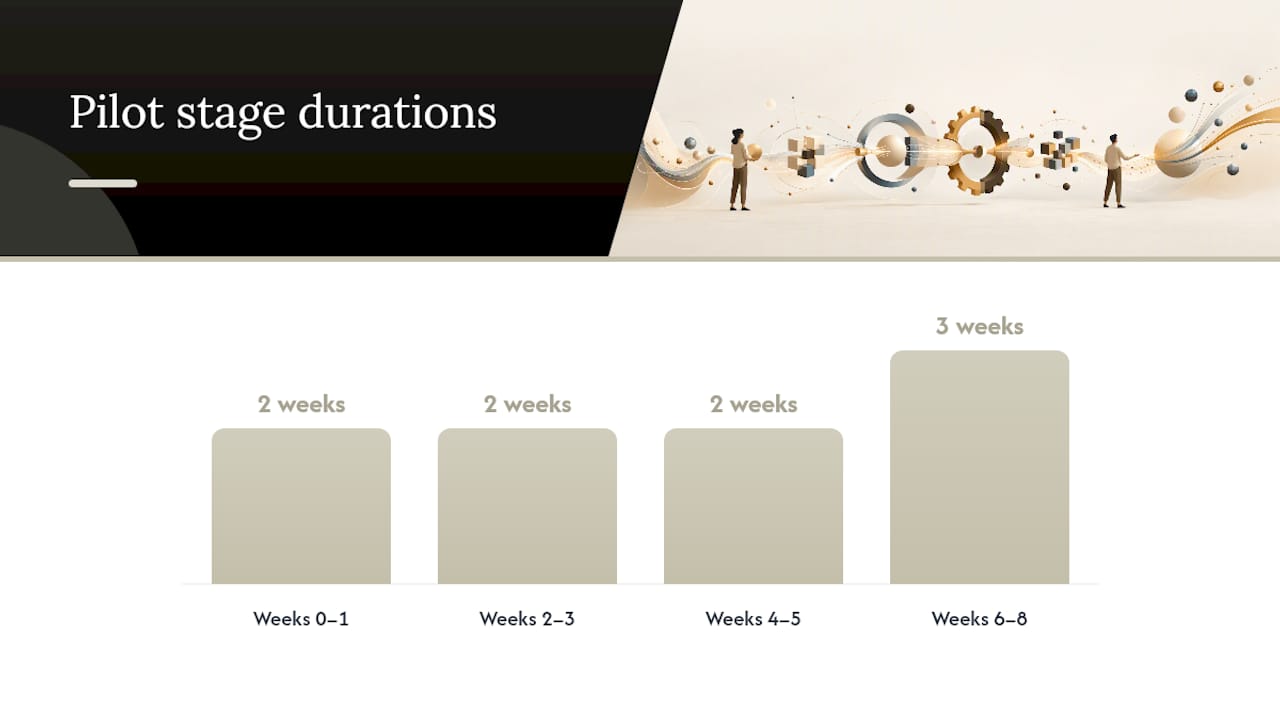
- Weeks 0-1: Map your current workflow stage by stage, capture baseline metrics (time per stage, number of review rounds), and pick one pilot workflow with a clear stakeholder owner.
- Weeks 2-3: Centralize the assets involved in that workflow, lock in naming and status conventions, and set access roles so the right people see the right files.
- Weeks 4-5: Build the automation rules, routing logic, notifications, batch transforms, and connect calendar or webhook triggers.
- Weeks 6-8: Run the pilot live, track time saved, review rounds, and delivery lead time, then document what worked as a runbook for the next team.
Set a rollback trigger before you start; for example, if review rounds increase or a delivery misses deadline because of the automation itself, pause and fix before scaling further.
Pro Tip: Document the runbook as you build it, not after. A pilot’s biggest value often isn’t the automation itself, it’s the written record of what to configure next time.
How Does This Play Out in a Real Post-Production Setup?
A post-production workspace can be built around exactly this pattern: a single workspace where version management, task tracking, and calendar integration replace the scattered tools most production teams stitch together manually. Assets keep their history intact, ownership of deliverables can be maintained, and status changes trigger the next step automatically instead of waiting on a producer’s follow-up email.
A few ways this maps directly onto the playbook above:
- Version control lives on the asset itself, so “final” means final, not a guess based on a filename.
- Calendar integration means deadline changes propagate without a separate update thread.
- Task tracking turns your prioritization matrix into an actual operational view, not a spreadsheet nobody opens twice.
The Posthive blog covers implementation details worth reading if you’re building your own version of this pilot, particularly around asset organization and review routing.
What Happens When Your Team Pushes Back?
Most resistance comes from one fear: that structure kills creative flexibility. It doesn’t. Structure removes the busywork around creative decisions, not the decisions. Run the pilot with the affected designers in the room, let them help write the routing rules, and frame the message to stakeholders as “less time on file hunting,” not “new process to memorize.”
— Lorenz
Try Posthive for Your Next Automation Pilot
There are workspaces built around these patterns: version control tied to the asset, task tracking that mirrors an actual pipeline, and calendar sync so deadlines update without a separate thread. Some plans include unlimited free seats, so clients and freelancers can review and approve work without incurring per-user fees, unlike tools that charge per seat and limit collaboration.

If you’re running the eight-week pilot from this guide, Posthive’s structure maps directly onto weeks two through eight: centralize assets, set roles, automate routing, and measure results without stitching together five separate tools. Check the Pro and Enterprise plans to see which tier fits your team’s storage and workflow needs, and start your pilot workflow this week rather than waiting for a bigger rollout plan.
Sources
For deeper process grounding, PMI’s business acumen resources cover workflow mapping and baseline metrics in more depth than a single article can. On the Posthive side, three guides extend specific sections above:
Teams coordinating handoffs with outside marketing partners may also find content marketing service structures useful for aligning stakeholder timelines with internal automation rules.
FAQ
What Is a Good Workflow for Creative Teams?
A good workflow moves through brief, production, review, approval, and delivery with a single source of truth for assets at every stage, so nobody works from an outdated file. The best ones automate the handoffs between stages, not the creative decisions inside them.
What Are Examples of Automated Creative Workflows?
Common examples include automatic routing of a finished asset to the correct approver, batch format transforms triggered once a file is marked “approved,” and calendar-triggered deadline reminders. Version control that locks a canonical file the moment it’s approved is another frequent one.
What Are the Best Ways to Automate a Creative Workflow?
Map your current process and time each stage before building anything, then pilot one repeatable workflow end to end rather than automating everything at once. Centralizing assets into one library first, the way creative operations practitioners recommend, keeps the automation from becoming fragile.
Can AI Tools Automate Creative Tasks?
AI tools like Claude Design can generate first-draft variants, batch transforms, and repetitive assets, which speeds up early production stages. Every output still needs a human review gate before it moves toward client delivery.
Does Posthive Support Automated Review and Version Control?
Posthive ties version history and approvals directly to the asset, so status changes and calendar updates propagate without manual follow-up. Current pricing for the Pro and Enterprise plans is listed on the Posthive pricing page.