Cloud Egress Costs: What You Pay and How to Cut It
Cloud Egress Costs: What You Pay and How to Cut It

Cloud egress costs are the charges a provider bills when data leaves its network: a client downloading a cut, a render farm pulling footage, a migration to another vendor. On AWS, the published example rate for internet transfer is $0.09 per GB for the first 10 TB a month after a free allowance. For a team moving hundreds of gigabytes of 4K footage, that adds up fast. This guide explains how the charges work, what changes the rate, and how post-production teams keep the bill predictable. It also covers how to schedule the critical path so delivery doesn’t turn into a surprise transfer bill.
TL;DR
- Egress is data going out of the cloud. Ingress (data going in) is often free, while egress is usually billed per GB.
- Rates depend on provider, monthly volume, region, destination and service. Tiers drop as volume rises, and some providers include a monthly free allowance.
- The biggest levers for video teams are keeping processing in one region, delivering through a CDN, compressing outputs and sending fewer full-quality copies.
- Set budgets and alerts, tag resources, and reconcile traffic data against your bill every month.
- Plan post-production backward from delivery and find the critical path, so rushed re-transfers don’t pile up at the end.
Table of Contents
- What cloud egress fees actually are
- How much cloud egress costs
- Why video teams feel egress more than most
- How to reduce cloud egress costs
- A simple monthly egress routine for a post team
- Critical path in post-production: schedule so transfers don’t become emergencies
- What we think
- Keep review and delivery in one workspace
- FAQ
- Sources
What cloud egress fees actually are
Egress fees are charges for moving data out of cloud storage, and they are separate from storage and compute fees. Ingress is data entering the cloud. Egress covers serving users, downloading data to local machines, moving data to another availability zone, or transferring it to another provider.
The U.S. Government Accountability Office describes the same split in its 2023 report on cloud computing: providers often charge for egress while ingress is often free. The report also notes that egress fees are considered in cloud procurement, and that vendor lock-in can happen when switching providers is costly.
Egress versus storage charges
A cloud bill for media usually has three separate parts:
- Storage: the volume you keep, plus read and write transaction charges. Oracle’s guide describes these as the usual storage billing components.
- Compute: transcoding, rendering and processing.
- Network egress: a separate charge based on outbound volume and destination.
Teams often budget for the first two and are surprised by the third. A project that sits quietly in storage costs one thing. The same project downloaded by five freelancers and three clients in full resolution costs another.
How much cloud egress costs
There is no single price, but published examples give you a sense of scale.
| Example | Rate | Source |
|---|---|---|
| AWS S3 to internet, first 10 TB and next 40 TB per month | $0.09/GB | Cloudflare’s AWS pricing guide |
| AWS S3 to internet, next 100 TB | $0.07/GB | Same guide |
| AWS S3 to internet, above 150 TB | $0.05/GB | Same guide |
| Oracle Cloud, first 10 TB per month per regional zone | Free | Oracle media and entertainment paper |
| Oracle Cloud, beyond that (data from North America, Europe, UK) | $0.0085/GB | Same paper |
The AWS example includes a monthly free allowance of 100 GB before the first tier applies. These figures are examples from those documents. Rates change, so confirm current pricing on each provider’s own page before you budget.
A worked example
Say a production company stores a finished 4K project and sends full-quality files out of AWS S3 to the internet. At the $0.09/GB example rate, 2 TB of outbound transfer costs roughly 2,000 GB x $0.09, or about $180, before any free allowance. Run that across ten projects in a month and egress alone passes $1,800. The same 2 TB under a provider whose first 10 TB are free would cost nothing in transfer. The point isn’t that one provider is better for everyone. It’s that the arithmetic is simple and worth running before a project starts, not after the invoice arrives.
What changes your rate
Egress pricing varies with the provider, monthly transfer volume, originating region, source and destination, customer tier, failover controls and transfer acceleration.
The GAO’s February 2023 sample table shows how much the path matters. It lists $0.00/GB for ingress, $0.00/GB within the same availability zone, $0.01/GB between availability zones, $0.02/GB between North American or European regions, and $0.08/GB between regions in Asia, Oceania, or the Middle East and Africa. The GAO labels these as one commercial provider’s sample rates, not universal current prices. They still show the pattern: the same file can cost nothing, a little or a lot depending on where it moves.
Some transfers are exceptions to standard internet rates. The AWS guide lists transfers between S3 buckets in the same Region, from S3 to AWS services in the same Region, and from S3 to Amazon CloudFront. For rates specific to storing and distributing media from AWS, guidance on running AWS VPCs efficiently is a practical companion to the provider’s own pricing pages.

Costs that stack
Kentik’s 2026 guide lists distinct categories that can stack depending on the path: internet egress, inter-region transfer, cross-availability-zone transfer, private-connection egress, and managed-service processing by NAT gateways, load balancers or transit gateways. A single delivery workflow might touch several of these. That is why a rate per GB on a pricing page rarely matches your total.
Why video teams feel egress more than most
Video is heavy. Camera originals, proxies, graded masters, and multiple versions of each cut all live in storage, and every review round tends to move large files. Egress shows up in a few predictable places:
- Editors and colorists downloading camera originals to local machines.
- Clients downloading every version of a cut instead of streaming a preview.
- Moving projects between regions or vendors.
- Delivering masters to broadcasters, festivals or distributors.
- Archive retrieval months later.
If you want a closer look at the storage side, our guide to 4K footage storage for production teams walks through three shoot scenarios, and the video project archiving checklist covers what to keep and where.
How to reduce cloud egress costs
1. Process where the data lives
AWS’s Streaming Media Lens recommends ingesting content into the Region and Availability Zone where it will be processed, which controls inter-AZ and inter-Region transfer. For a post team, that means doing transcodes and renders in the same region as the master files, not hopping across regions.
2. Deliver through a CDN where it fits
The same AWS guidance recommends using CloudFront for outbound delivery where appropriate and applying efficient compression to reduce outbound volume. Streaming a compressed review file is far cheaper than letting every stakeholder download a full-resolution master.
3. Cut the bytes you send
Oracle’s guide recommends minimizing transferred bytes, compressing traffic and using caching or CDNs. In media terms:
- Send H.264 or similar review proxies for approval, and keep masters for final delivery.
- Send one final master, not every intermediate.
- Cache what many people request repeatedly.
Strategies that reduce production spend more broadly, such as lowering the cost of content production, pair well with transfer discipline, since every avoidable asset you generate is an asset you may later store and ship.
4. Move cold media to cheaper storage
AWS recommends analyzing access patterns and using S3 Lifecycle Policies to move media automatically to cost-effective storage classes while still meeting accessibility needs. Oracle adds that prioritizing storage lifecycle and data transfer often has the largest savings potential compared with requests, management functions and object replication.
5. Measure, tag and alert
Oracle recommends identifying outbound-traffic sources, setting alerts for unusual egress, monitoring the provider’s cost-management reports, tagging resources for cost allocation, and attaching budgets to alerts. Kentik’s guide explains that billing exports show what you were charged, while traffic telemetry helps identify applications, paths and destinations. It cautions that flow logs aren’t packet-for-packet ground truth, so reconcile traffic estimates with billing data.
For the tracking side, a practical guide to streaming telemetry shows how teams watch outbound traffic and spot unexpected jumps.
6. Estimate before you commit
The AWS Pricing Calculator can estimate bandwidth pricing, though actual costs may vary with region, taxes, tiering and pricing changes. Build a simple estimate per project: total deliverable size, number of recipients, number of versions each recipient will pull. Multiply, then add a buffer.
A simple monthly egress routine for a post team
- Export last month’s bill and list the top three outbound line items.
- Match each to a project or tag. Anything untagged is your first fix.
- Check whether those transfers were previews or masters.
- Move anything older than your active window to a cheaper tier.
- Set or adjust a budget alert at a level you’d want to hear about mid-month.
- Note the lesson in your project template so the next job starts smarter.
Ten minutes a month beats a surprise after a big delivery.
Critical path in post-production: schedule so transfers don’t become emergencies
Transfer costs often spike when a schedule slips and people rush: duplicate exports, panic re-uploads, courier-by-download. The critical path method helps you see which delays actually hurt.
The method works like this, as described in a study on optimizing movie production schedules:
- Build a work breakdown structure: editorial, reviews, sound, color, VFX, rendering, QC and delivery.
- Define dependencies and durations.
- Calculate earliest and latest dates.
- Identify the longest dependency chain. Tasks with zero float form the critical path, so a delay to them delays delivery. Tasks with positive float can be moved or resourced around the critical work.
For post-production specifically, Blare Video’s schedule guide suggests building the schedule backward from the delivery date, mapping parallel work and hard dependencies, adding buffers for feedback and render failures, and scheduling client reviews as formal tasks, not informal checkpoints.
Where the critical path usually sits
In many projects, the chain runs from picture lock through color and online, final mix and QC, to delivery. Reviews are the hidden link: a client approval that arrives three days late pushes everything behind it. Treat approvals as dated tasks with an owner, and you can see their float.

A practical way to connect this to egress: put heavy transfers on non-critical tasks where there’s float, such as moving archives or syncing proxies, and keep the critical chain lean. If a render fails on the critical path, you’ll want your buffer spent on re-rendering, not on re-uploading files that should have been in the right region already.
What we think
We built Posthive around a simple belief: post-production gets expensive when files, versions and feedback scatter across tools. Every extra copy someone emails, downloads or re-uploads is a copy you may pay to move, and a version someone may mistake for the final.
That is why we put project management, version control, task and deadline tracking, review, and secure media delivery in one workspace, with clients keeping ownership of their deliverables. When everyone works from the same organized place, you send fewer redundant files and spend less time chasing the right one.
We also think collaboration shouldn’t be taxed per head. Every Posthive plan includes unlimited free seats, so editors, producers and clients can all be in the project without a seat count driving who gets access. Tying review tasks to deadlines and calendars, including Google Calendar, also makes the critical path visible to the whole team, not just the producer.
Good egress discipline is mostly good organization: know what you have, where it lives, and who needs what. That is the problem we work on every day.
Lorenz
Keep review and delivery in one workspace
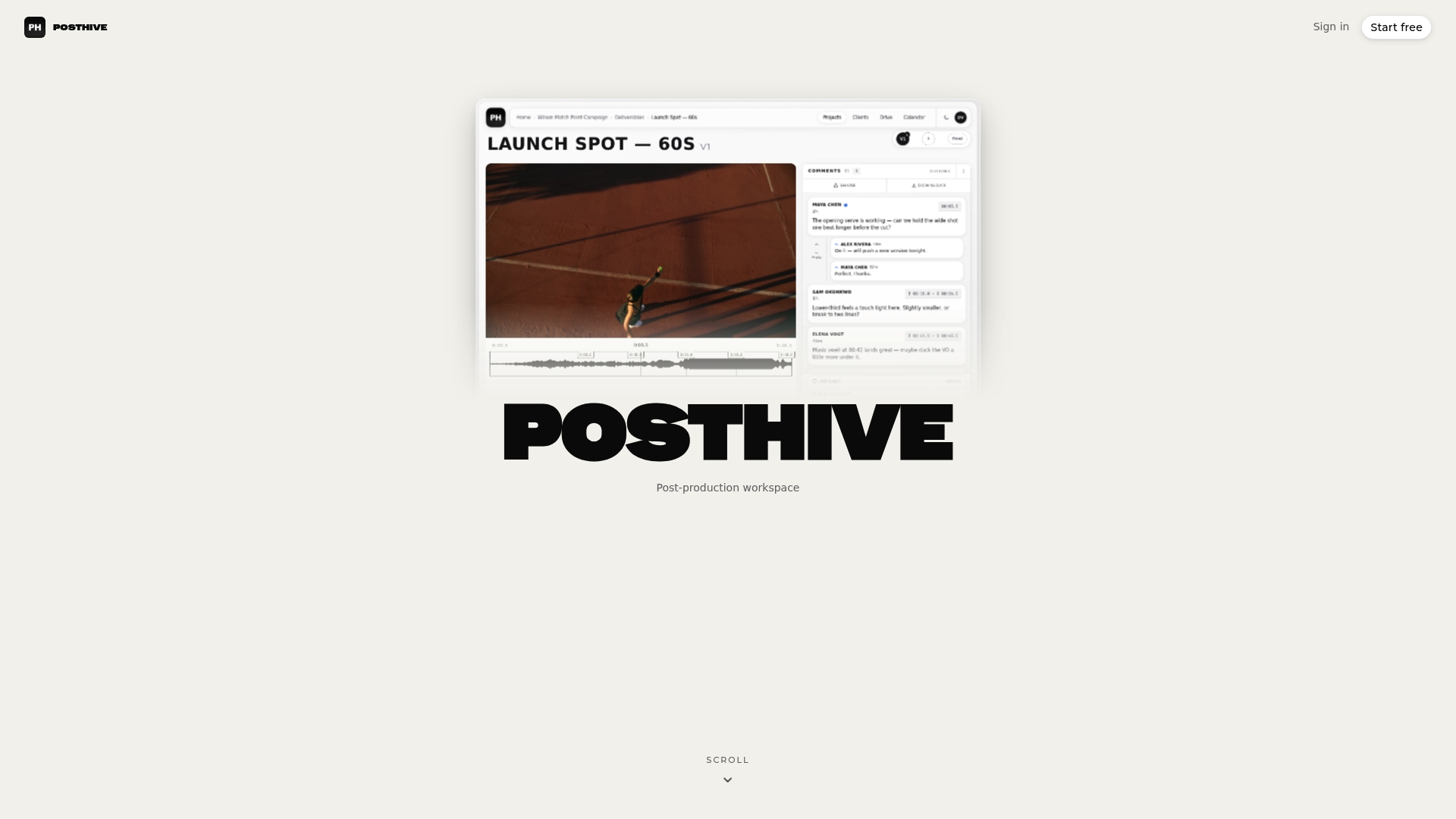
If your egress bill is driven by scattered sharing, a single workspace for review, versions and delivery is a sensible place to start. Posthive brings version management, task and deadline tracking, client feedback and approval tracking, and secure media delivery together, with plugins for NLEs and unlimited free seats on every plan.
The Pro plan is $49 per month and Enterprise is $99 per month. See Posthive pricing for what each tier includes, or explore the workspace structure to see how projects, versions and deliverables are organized.
For related reading, see how to share large video files without losing quality, the secure media delivery workflow, and how to organize media assets for faster post-production.
FAQ
How much does cloud egress cost?
It depends on provider, volume, region and destination. In one published AWS S3 example, internet transfer is $0.09/GB for the first 50 TB per month after a free allowance, falling to $0.05/GB above 150 TB. Always check the provider’s current pricing page.
Are cloud egress fees and cloud storage egress the same thing?
Yes, the terms are used interchangeably for charges on data leaving cloud storage. They are billed separately from the cost of storing the data. Ingress, data coming in, is often free.
What are the egress costs for Oracle Cloud?
Oracle’s media-and-entertainment paper states that OCI offers 10 TB per month of free outbound transfer per regional zone. For data originating in North America, Europe and the UK, it lists $0.0085/GB beyond that, with no fee for movement within one region. Confirm current rates with Oracle.
How do I reduce egress costs for large video files?
Keep processing in one region, deliver through a CDN, compress review files, and move cold media to cheaper storage tiers. Then set budgets and alerts so spikes surface mid-month. The steps above lay out each one.
What is the critical path in post-production?
It is the longest chain of dependent tasks, such as picture lock, color, mix, QC and delivery. A delay to any task on it delays the whole project. Tasks with float can slip within their buffer without moving the delivery date.
Sources
- What are data egress fees? (Cloudflare)
- What is AWS data transfer pricing? (Cloudflare)
- GAO-23-106247, Cloud Computing: DOD Needs to Improve Software Licensing Management
- Cloud Data Egress Costs: What They Are and How to Reduce Them (Oracle)
- How Oracle’s Low Egress Pricing Transforms M&E Cloud Strategy
- Cloud Egress Costs: How to Measure, Attribute, and Reduce (Kentik)
- Optimization of the Production Schedule of Movie Making
- Film post-production schedule (Blare Video)
- Running AWS VPCs Efficiently
- Cisco Streaming Telemetry: A Practical Guide
- Reduce Content Production Costs