One Page Creative Project Scope That Holds the Line for Design Teams
One Page Creative Project Scope That Holds the Line for Design Teams

A creative project scope is the written boundary of what your team will deliver, in what format, by when, and under what revision rules, so nobody can quietly redefine the job halfway through. The single most important move is a one-page scope summary paired with signed revision and change-request rules. Success looks like agreed deliverables, a fixed review rhythm, and a documented path for anything that falls outside it.
TL;DR:
- Clear scope documentation should include specific deliverable counts, formats, and completion criteria to prevent future renegotiation.
- Defining project scope through discovery, detailed definition, accurate estimates, and signed approval helps avoid early project collapse.
- Establishing fixed revision rounds with response windows and documented change requests ensures scope control during the project.
- Using version control, approval gates, and centralized feedback tools enforces scope boundaries in creative workflows.
- Most scope creep results from poorly written scope documents that lack decision owners, fixed deadlines, and clear exclusions.
Table of Contents
- What Belongs on a One-Page Creative Project Scope
- How Do You Define Scope for a Creative Project?
- Writing Deliverables and Specs So Nobody Can Argue About “Done”
- Setting Revision Rounds That Actually Hold Up
- Turning New Requests into a Documented Change-Request Process
- Two Filled Scope Examples You Can Adapt
- Tooling and Workflow: Enforcing Scope in a Post-Production Workspace
- Why Most Scope Documents Fail Before Work Even Starts
- Run Your Next Project Through a Workspace Built to Hold the Line
- Where to Read More on Scope Management
- Sources
What Belongs on a One-Page Creative Project Scope
A one-page scope summary is the fastest way to lock a job before anyone opens a design file. Industry practice supports keeping it to a single, well-constructed document that clients can read in under five minutes and sign without a follow-up call.
Copy this structure into your next brief:
- Business outcome — the measurable result the client actually needs (a rebrand that supports a product launch, a video that lifts conversion on a landing page)
- Deliverables — exact format, count, and the criteria that define “done” for each one
- Exclusions — what you are not doing, and what the client must supply (assets, approvals, brand guidelines)
- Milestones — dates for drafts, reviews, and final delivery, with enforced review windows
- Decision owner — the one person authorized to approve or reject work
- Revision rounds — how many, and what happens after they run out
- Change-request path — where new asks go instead of into the current deliverable
Pro Tip: Put a dollar or hour estimate next to your default revision-round count on the summary itself. Clients treat a number differently than a policy statement, and it heads off the “just one more tweak” conversation before it starts.
A scope document like this functions as a formal agreement between you and the client, not just an internal planning tool. That distinction is what makes it enforceable when a request comes in outside the lines.

How Do You Define Scope for a Creative Project?
Defining project scope for creative work follows a four-phase sequence: Discovery, Definition, Estimate, Sign-off. Skipping straight to a quote without discovery is the single most common reason creative projects unravel three weeks in.
- Discovery. Clarify the business outcome, identify every stakeholder who can approve or veto work, note real constraints (budget, brand rules, legal review), and collect references so “modern and clean” means the same thing to you and the client. Treating discovery as its own phase matters because creative projects tend to collapse later when direction was never pinned down early, and by then you have already spent hours building on a guess.
- Definition. Translate the outcome into measurable objectives and break deliverables into a Work Breakdown Structure, a simple list of every distinct output and the tasks behind it. Write exclusions with equal weight to inclusions. “Two logo concepts, three rounds each” is a real scope line. “A logo the client loves” is not.
- Estimate. Apply a buffer multiplier to your time estimate for anything outside a template execution. A common practitioner approach is roughly 1.3x on familiar creative work, more on anything genuinely new, and building milestones around decisions rather than task completion. A milestone that says “direction approved” protects you better than one that says “first draft delivered,” because it forces a decision instead of letting a draft sit unreviewed.
- Sign-off. Turn the definition and estimate into a scope baseline and get it approved before a single file opens. PMI’s own guidance treats baseline approval and configuration control as central to keeping scope from drifting once work is underway, and that approval step is the moment your leverage is highest, not after the client has already seen three drafts.
Writing Deliverables and Specs So Nobody Can Argue About “Done”
Every deliverable line needs six fields, or it will get renegotiated later: name, purpose, format(s), size or resolution, count, and the completion criteria that define done. Vague deliverable language is the single most exploitable gap in a creative brief, because “a logo” can mean one file or fifteen once a client starts asking for variations.
Fill in each field concretely:
- Brand identity example: Primary logo, three color variants (full color, black, white), delivered as SVG and PNG at 300 dpi, plus a one-page usage guide. Done means client sign-off on the final file set, not sign-off on a concept sketch.
- Video example: One 60 to 90 second brand video, delivered in 1080p MP4 and a vertical 9:16 cut for social, with two rounds of edit revisions included. Done means final export delivered and the raw project file archived.
- Social set example: Twelve platform-ready posts (Instagram feed, Instagram story, LinkedIn), each in the platform’s native dimensions, with captions supplied separately by the client. Done means all twelve assets uploaded to the shared folder.
Naming format, size, and completion criteria this specifically is what removes ambiguity from a scope document, and it is the detail most briefs skip. Cover handover, too: source files, a short usage document, and how many days of post-delivery support are included, because “just one quick fix” requests almost always land after handover, not before.
Setting Revision Rounds That Actually Hold Up
A revision round only works as a control if it is defined, not implied. Vague phrases like “we’ll iterate together” invite unlimited feedback loops; a numbered round with a deadline does not.
- Define one revision round as a single, consolidated set of feedback delivered by one deadline, not a rolling stream of comments over two weeks.
- Set a client response window (commonly five business days) and state plainly that a missed window shifts the final delivery date by the same number of days.
- Attach feedback deadlines to actual calendar dates, not “sometime next week,” and use automated reminders as the review date approaches.
- Default to two revision rounds per deliverable unless the project scope explicitly says otherwise.
That structure matters because a defined revision protocol with consolidated feedback is what keeps a review cycle from turning into open-ended scope creep. It also protects your delivery date directly: client response time built into the timeline means a client’s own delay no longer becomes your problem to absorb silently.
Pro Tip: Map every feedback window onto an actual calendar before the project starts, not just as a policy line in the scope document. An unstructured review period turns into what some creative ops leads call the “silent review black hole,” where nobody knows whose turn it is to respond. A dated milestone fixes that instantly.
Turning New Requests into a Documented Change-Request Process
A change request needs five fields on paper before anyone acts on it: the request itself, the reason behind it, which deliverables it touches, the time and fee impact, and who has authority to approve it.
- Log the request the moment it arrives, even a casual “can we also get a version in blue” comment in a review call.
- Route it to the decision owner, the same person named in your one-page scope summary, so approval never gets stuck between three people.
- Quote the impact in hours or dollars before starting any work, using one of three tactical options: swap it for something already in scope, charge an additional fee, or defer it to a later phase.
- Get written approval before touching the deliverable, and log the decision alongside the original request.
A structured process like this turns scope changes into visible business decisions instead of quiet, unbilled extra work that erodes your margin one small favor at a time.
Two Filled Scope Examples You Can Adapt
Seeing a filled scope summary makes the format click faster than any template alone. Here is how the same structure looks across two different project types.
| Field | Brand identity project | 60–90 second video |
|---|---|---|
| Business outcome | Consistent visual identity for product launch | Video that lifts landing page conversion |
| Deliverables | Logo, 3 color variants, usage guide | 1080p master, 9:16 social cut |
| Exclusions | No packaging or signage design | No paid media placement |
| Revision rounds | 2 rounds | 2 rounds |
| Decision owner | Marketing director | Brand manager |
To adapt either example, change only three things: the deliverable counts, the file formats, and the revision-round number. Everything else in the structure, exclusions, decision owner, change-request path, stays identical across almost any creative project.
Tooling and Workflow: Enforcing Scope in a Post-Production Workspace
A scope document only holds up if the tools around it enforce it. Without version control, someone works from the wrong file. Without approval gates, feedback scatters across email, Slack, and a comment on a shared drive, and revision rounds stop being countable.
A workspace built for creative production needs four elements to actually protect a scope baseline:
- Version control that tags every file with its round number, so nobody edits an approved deliverable by accident.
- Approval gates that require a named decision owner to sign off before work moves to the next stage.
- Centralized feedback in one thread per deliverable, instead of comments spread across four platforms.
- Calendar-driven review windows that flag a missed client deadline automatically instead of relying on someone to notice.
Pro Tip: Set your folder structure and review roles before the first file lands, not after the first round of feedback comes in. Retrofitting permissions and approval gates mid-project is where most workspace setups quietly fail.
Practically, this means naming folder rules up front, assigning review roles to specific people rather than “the client team,” and tracking every change request as a logged event rather than a buried comment. A workspace like Posthive’s productivity tools turns revision rounds and change requests into an auditable trail, which is exactly what your one-page scope summary promised the client in writing.
Why Most Scope Documents Fail Before Work Even Starts
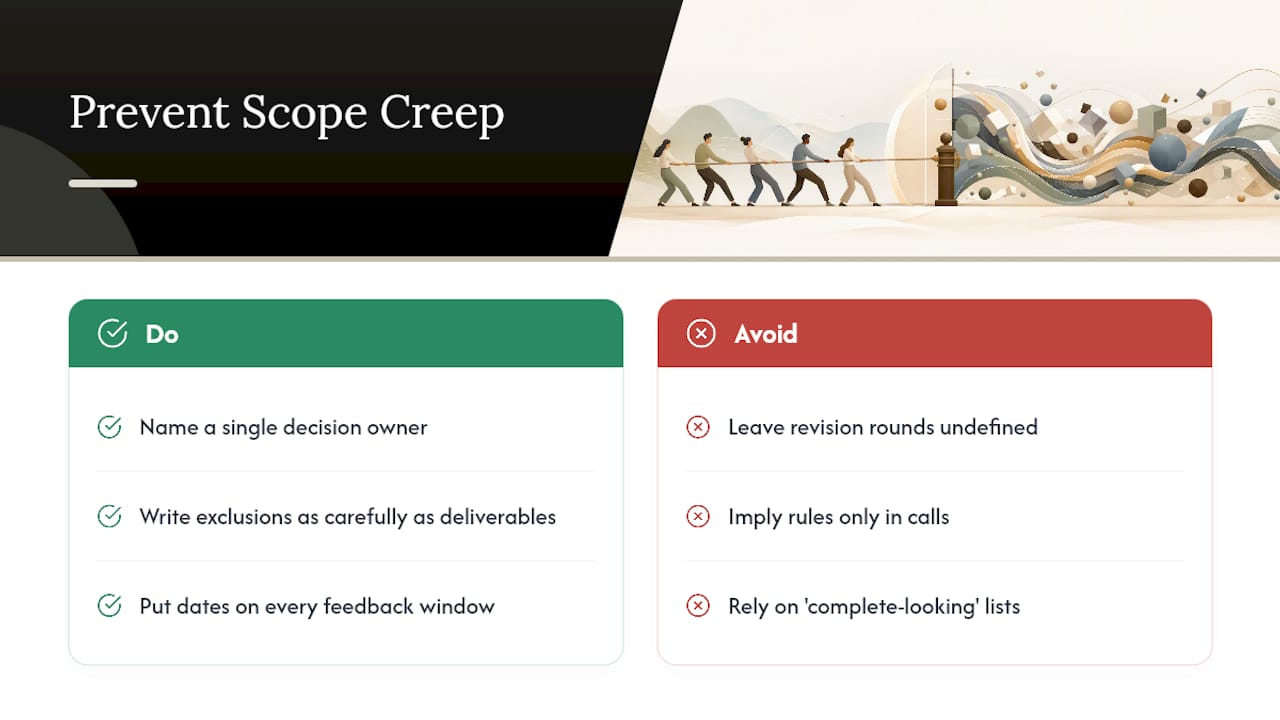
Most scope creep does not start with an unreasonable client. It starts with a scope document that was written to look complete rather than to actually hold weight. I have watched teams write beautiful deliverable lists and then leave revision rounds undefined, which is the equivalent of building a fence with one open gate.
The fix I would never skip: name a single decision owner, write exclusions with the same care as deliverables, and put actual dates on every feedback window. On one rebrand scope I reviewed, the entire project stayed on schedule because “two rounds, five business days each” was written into the summary itself, not implied in a call. That one line did more work than the rest of the document combined.
— Lorenz
Run Your Next Project Through a Workspace Built to Hold the Line
Writing a tight scope document is only half the job. The other half is having a system that keeps everyone honest to it once feedback starts arriving from three directions at once. Posthive centralizes the exact artifacts this article has walked through: deliverables tied to specific versions, feedback collected in one place instead of scattered across email and chat, and change requests logged instead of quietly absorbed into a “quick fix.”

The version control and review-window features work together directly against scope creep: every deliverable gets tagged to its round, every review window has a real deadline attached, and every approval leaves a record you can point back to if a client asks “didn’t we already sign off on this?” That is the same discipline your one-page scope summary is supposed to enforce, built into the tool instead of left to memory.
If you are ready to see how that setup looks on an actual project, visit the Posthive workspace and start mapping your next scope document directly into it.
Where to Read More on Scope Management
- PMI’s scope management guidance on Work Breakdown Structures and baseline approval
- Handling scope changes in project management, a practical tutorial on change-control workflows
- The anatomy of a well-constructed scope document for creative teams building their own templates