Post-Production Workspace: What It Is and How to Set One Up
Post-Production Workspace: What It Is and How to Set One Up

A post-production workspace is one shared place where a team keeps its media, cuts, versions, tasks, review notes and final deliveries, so nobody hunts through email threads, chat logs and drives to find the current cut. Some people call it a post production hub. The idea is the same: one authoritative home for a project from the first ingest to the final master. This guide explains what goes into one, how to structure it, and how to judge one for your own work.
TL;DR
- A post-production workspace centralizes media, versions, feedback, approvals and delivery for a project, instead of scattering them across drives, chat and email.
- The tool does not create order by itself. You need one authoritative project location, a naming convention, assigned review authority and a named workflow owner.
- Set up in this order: folder structure, naming, permissions, review stages, delivery, then archive.
- When choosing, check version control, client review, access control, delivery, and how seats are priced, because per-seat fees add up fast when clients and freelancers join.
- Posthive offers unlimited free seats on every plan, with Pro at $49 per month and Enterprise at $99 per month.
Table of Contents
- What a post-production workspace actually is
- Why scattered tools break down
- How a project moves through a shared workspace
- Set up the workspace: structure, naming, permissions
- Run reviews that finish
- Protect the work: backups and archive
- What to look for when choosing a post-production workspace
- Our perspective
- Try it on your next project
- FAQ
- Sources
What a post-production workspace actually is
Post-production is everything that happens after the shoot wraps: picture editing, sound design, visual effects, color grading and final delivery, as TheGreenShot’s overview of the phases lays out. A workspace is the environment that holds all of that work together.
The term is used in a few ways. Large studios use it for a staging area inside a bigger system. Netflix’s partner documentation, for example, describes a Workspace as a personal drive within a Content Hub project, used for temporary storage, file staging, submitting files for delivery and sharing, and visible only to its owner unless files are explicitly shared. That is a useful picture of the basic job: a controlled space where files are staged before they go anywhere official.
For most creative teams, agencies, production companies and freelancers, the term means something broader: a shared project environment that combines:
- Project management: who is doing what, and by when.
- Version control: which cut is current, and what changed between them.
- File storage and sharing: the media, exports and documents.
- Review and approval: frame-specific notes from clients and collaborators, and a record of who signed off.
- Delivery: secure handoff of the final master.
The point is not another place to put files. It is one place where the state of the project is never in doubt.
Why scattered tools break down
Most teams do not start with a workspace. They start with a shared drive, a chat channel and an email thread, and it works until the second round of notes. Then three people are reviewing three different exports, a client comments on an old version, and the editor spends an afternoon reconciling feedback instead of cutting.
Production guidance from remote post houses says the same thing: a platform alone cannot prevent version chaos. ECG Productions argues that it takes strict governance, clear permission rules and a defined workflow owner. That is the right frame for everything below. A workspace gives you the structure to enforce good habits. You still have to decide the habits.
How a project moves through a shared workspace
A good workspace mirrors the real path of a project. Here is the sequence most teams follow, and what the workspace should do at each step.
1. Intake
Raw footage, audio, graphics, scripts and reference material arrive in one project location. Name and sort at ingest, not later. Fixing a messy bin at the rough cut stage costs far more time than naming files correctly on day one. Our guide on how to organize media assets for faster post-production covers the ingest habits that save the most time.
2. Editing and versioning
The editor builds an assembly, then a rough cut, then a fine cut. Each export that anyone outside the edit room will see becomes a numbered version. The workspace keeps those versions together and makes the latest one obvious. For a deeper look, see our versioning best practices.
3. Review and approval
Clients and collaborators watch the version, leave notes tied to specific moments, and approve or request changes. The workspace records who said what, on which version.
4. Picture lock and downstream work
Once picture is locked, sound, color and finishing can proceed without the ground moving underneath them. Our post on the freelance post-production workflow with picture lock and two review rounds shows how a solo editor can run this cleanly.
5. Delivery
The approved master goes to the client through a secure link, with a preview version for review and a protected master for handoff. Our piece on a preview-to-master workflow walks through it.
6. Archive
When the project closes, you archive it so it can be reopened years later. More on that below.
Set up the workspace: structure, naming, permissions
This is the part that decides whether the workspace helps or becomes another mess.
One authoritative location and one owner
ECG Productions recommends that remote teams establish one authoritative project location and a dedicated workflow owner who manages the version ledger and answers handoff questions. On a small team, that owner can be the lead editor or producer. On a freelance job, it is you. Write the name at the top of the project brief.
Folder structure
Keep the root predictable. One widely shared convention is a root folder named with the date first, in YYYYMMDD_ProjectName form, so projects sort chronologically, as Video Editing Rentals suggests. Inside, separate camera originals, audio, graphics, project files, exports, documents and deliverables. We keep a free folder structure template for video projects you can copy.
File naming
The same source recommends a single naming pattern built from project code, sequence name, date, version and status, with status tags such as WIP, ForReview, ForColor, ForSound and FINAL. Here is how that looks in practice:
| Part | Example | Purpose |
|---|---|---|
| Project code | HVST | Ties the file to one job |
| Sequence name | MainEdit | Tells you what it is |
| Date | 20261103 | Sorts chronologically |
| Version | v03 | Shows the round |
| Status | ForReview | Shows who needs to act |
A file called HVST_MainEdit_20261103_v03_ForReview.mp4 answers four questions without being opened. Pick your pattern once, put it in writing and enforce it.
Project versions inside your editing software
If your team shares cloud projects in an editing application, descriptive version names help there too. A DaVinci Resolve cloud-projects guide from Post Editor suggests names that carry the stage and date, such as a rough cut, client review, revisions, locked picture and color final, and exporting a project archive when work is complete so you have a self-contained backup independent of the cloud database. The same guide proposes a traffic light system for timelines: green open to anyone, yellow in progress so ask first, red locked for a specific person. It is a simple habit that prevents two people editing the same timeline.

Permissions
Decide who can see, comment, edit, approve and download. A sensible default:
- Editors and assistants: full access to the project and its media.
- Producers and leads: access to everything, plus approval and delivery rights.
- Clients: view, comment and approve on review versions, with no access to raw media.
- Freelancers: access to the folders they need for the length of the job.
This is where per-seat pricing hurts. If every client reviewer or short-term freelancer costs a seat, teams start sharing logins or sending files by email again, and the workspace loses its authority. That is why we built Posthive with unlimited free seats on every plan.
Run reviews that finish
Review is where most post-production time is lost, and where a workspace pays back fastest.
Give each stage one decision-maker
ECG Productions advises assigning review authority by stage: the director owns story decisions, for example, while legal owns claims and releases. This stops conflicting, equal-priority notes from reaching the editor. If two stakeholders disagree, someone consolidates the notes before the revision starts, not after.
Set deadlines and default to forward motion
Raindance, writing about indie post-production, suggests formal review stages with deadlines. A practical default is that if no notes arrive by the deadline, that counts as no objection and the cut moves on. Put that rule in your kickoff email so it is never a surprise.
Limit revision rounds
Two rounds is a workable standard for many projects, and it should be written into the agreement. Our guide to enforcing two rounds with a revision request workflow shows how to structure the requests. The principle behind any review queue is the same in every field: work waits in one place until a named person approves it, as in this content review and approval workflow for written material.
Keep an audit trail
The most expensive mistake in post is delivering the wrong cut because someone approved version 4 while the editor was finishing version 5. A record of who approved which version, and when, prevents it. We describe a four-phase method in our audit trail guide.
Mind the clock when teams are remote
If your editor is in Los Angeles and your colorist is in New York, hand-offs need a schedule. Post Editor recommends staggering hours so the editor finalizes cuts by a set time and the colorist picks up after, and claims this cuts conflicts substantially. Treat the specific figure as one team’s experience, but the habit of a fixed handoff time is sound.
Protect the work: backups and archive
A workspace is not a backup. Treat storage and protection as two different jobs.
Video Editing Rentals describes the 3-2-1-1-0 rule: three copies of your data, on two different types of media, with one copy off-site, one offline and air-gapped, and zero verification errors. Cloud storage in your workspace can serve as one copy. It should not be the only one.

At project close, export the final deliverables, the project files and an index of what is where, then archive. Our three-copy checklist for archiving video projects walks through what to include so a project can be reopened later.
What to look for when choosing a post-production workspace
No list of features matters until you know how your team works. Use these criteria, and weigh them against the work you do.
| Criterion | What to ask | Why it matters |
|---|---|---|
| Version control | Can you see every version side by side and mark one current? | Prevents wrong-cut approvals |
| Review tools | Can reviewers leave notes at specific moments and approve in one place? | Cuts email round trips |
| Seat pricing | Do clients and freelancers cost extra? | Drives real cost on multi-project teams |
| Access control | Can you limit who sees media, per project? | Protects unreleased work |
| Delivery | Can you send a protected master and a preview? | Keeps final files secure |
| Integrations | Does it connect to your calendar and editing software? | Keeps deadlines and cuts in sync |
| Multi-project scale | Can you run many projects without folder sprawl? | Matters most for agencies and production companies |
| Language work | Does it handle transcription and translation workflows? | Needed for international delivery |
For a freelancer, version control, review and delivery matter most. For a production company running several jobs at once, permissions, task tracking and multi-project views take over. Our video project management guide for team leads goes deeper on that side.
A simple test of fit: write down the last project that went wrong, find the step where it failed, and check that the workspace you are considering handles that step well.
Our perspective
Most post-production problems are not creative problems. They are ownership problems: nobody is sure which cut is current, who can approve it, or where the master lives.
We built Posthive around that. Clients keep ownership of their deliverables and versions. Everyone who needs to look at the work can, because every plan includes unlimited free seats. You do not have to decide which client reviewer is worth paying for, and your freelancers are never locked out of the project.
We also think the workspace should sit where your team already works. That is why Posthive connects with Google Calendar for deadlines and offers plugins for non-linear editing software, so versions and feedback do not live in a separate world from the edit.
Put project management, secure delivery and client review on one platform and the handoffs that used to eat your week mostly disappear. The rules still matter, and we encourage every team to write them down. A good workspace makes them easy to follow.
Lorenz
Try it on your next project
Posthive is a cloud-based post-production workspace for creative teams, agencies, freelancers and production companies. It brings version management, task and deadline tracking, collaborative review, file storage and sharing, transcription and translation workflows, client feedback and approval tracking, and secure media delivery into one place.
There is a free plan, and paid plans are Pro at $49 per month and Enterprise at $99 per month, with different storage and feature tiers. Every plan includes unlimited free seats. See the Posthive pricing page for what each plan includes.
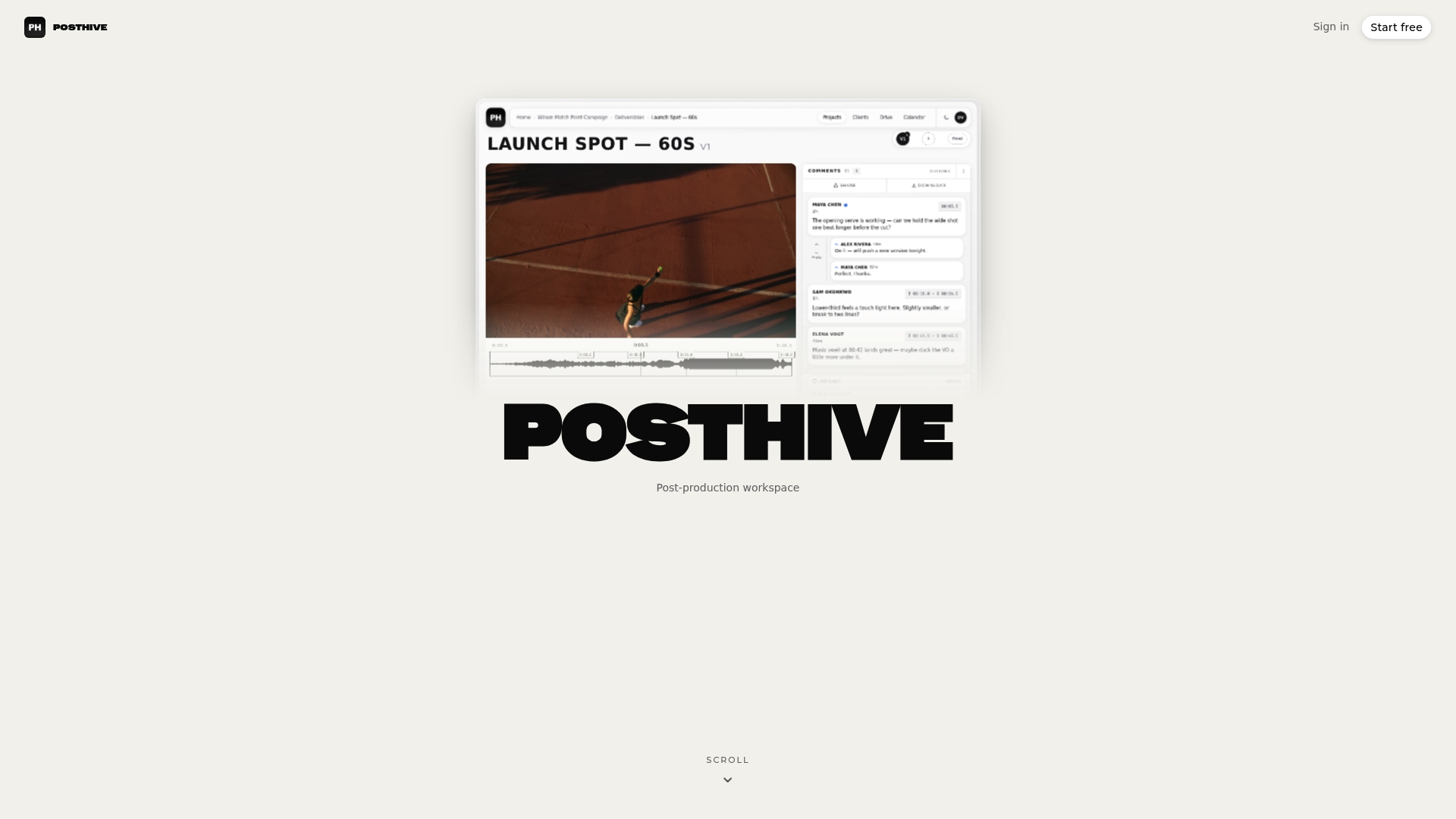
If you want to see how a project looks from intake to delivery, start from the Posthive home page and set up your first project.
FAQ
What is a post production hub?
A post production hub is another name for a post-production workspace: a central place where a team keeps media, versions, review feedback and deliverables for a project. It replaces scattered drives, chat threads and email attachments. The goal is that everyone works from the same current cut.
What are the steps of post-production?
The main phases are picture editing, sound design, visual effects, color grading and final delivery, as TheGreenShot’s workflow overview describes. Editing usually starts with an assembly cut, then a rough cut and a fine cut. A workspace keeps each stage’s files, versions and approvals in one project.
Do I need a workspace if I work alone?
If you edit for clients, yes, it still helps. Versioning, timestamped client notes, a record of approvals and secure delivery matter as much for one editor as for a team. Our freelance workflow guide shows how to run two review rounds with a clear picture lock.
How should I name files and versions?
Use one pattern for every file: project code, sequence name, date, version number and status. Add status tags like WIP, ForReview and FINAL so anyone can tell what a file is at a glance. Write the pattern down and apply it from ingest onward.
Is a workspace the same as cloud storage?
No. Cloud storage holds files. A workspace adds versioning, tasks, deadlines, review and approval tracking, and delivery around those files. You should still keep separate backups of finished projects.
Sources
- Post-Production Workflow: Phases, Roles and Project Management (TheGreenShot)
- Content Hub - Using Your Workspace (Netflix Partner Help Center)
- Remote Video Post Workflow Guide (ECG Productions)
- Who Signs Off? Feedback, Approvals and Picture Lock in Indie Post-Production (Raindance)
- How to Architect a Post-Production Pipeline (Video Editing Rentals)
- DaVinci Resolve Cloud Projects: The Complete Guide (Post Editor)
- Content review and approval workflow (Tepine)