6 Features Creative Teams Need for Remote Video Collaboration
6 Features Creative Teams Need for Remote Video Collaboration

Remote video collaboration means a cloud-based post-production workspace: one place to manage versions, review frame-accurate cuts, track tasks, and deliver finished files securely. The move to make is simple: stop routing feedback through email and Slack, and centralize versioning, review, and approval in a single system. A workspace built for that job, like Posthive, removes most of the confusion that stalls creative teams.
TL;DR:
- Only process approved versions with a clear, recorded approval action tied to a specific file, not casual feedback in emails or chat.
- Centralize review cycles with a single final approver, strict deadlines, and consolidated feedback to prevent prolonged delays and version confusion.
- Ensure the workspace supports frame-accurate comments, streaming previews, role-based access, and automatic integration with editing tools for smooth technical operation.
- Most teams fail to enforce true approval actions and deadlines, resulting in subjective opinions that cause rework and misaligned expectations.
- Dedicated platforms like Posthive implement these practices, maintaining organized, secure, and disciplined review workflows to increase efficiency.
Table of Contents
- Why Centralized Cloud Workspaces Matter for Creative Teams
- Core Feature Checklist: What a Remote Video Collaboration Workspace Must Provide
- Operational Patterns: Setting Up Review Cycles and Version Governance
- Technical Checklist and Integrations to Provision
- What Most Teams Get Wrong About Remote Review
- How Posthive Puts This Checklist Into Practice
- Sources
Why Centralized Cloud Workspaces Matter for Creative Teams
Scattered feedback is the quiet killer of production schedules. A note buried in a text thread, a “looks good, just fix the intro” email, a comment left on a downloaded file that’s already three versions old. None of it. Each fragment adds a small delay, and small delays compound across a 20-cut project into weeks of drift.
A defined review workflow replaces that chaos with a fixed sequence: upload, timecoded review, consolidation, revision, approval. When everyone works from one canonical link instead of five downloaded copies, decision confidence comes back. Nobody wonders if they’re looking at the right cut.
Streaming previews change the reviewer experience too. Clients and stakeholders watch the cut in a browser instead of downloading a gigabyte file, and frame-accurate comments attach directly to the timecode in question rather than a vague description of “the part around two minutes in.” That single shift cuts a surprising amount of friction:
- No more “which file is this?” confusion across email attachments
- Reviewers comment at the exact frame instead of describing it in prose
- Editors see all notes in one place instead of hunting through three apps
- Approval status lives on the project, not in someone’s inbox
Core Feature Checklist: What a Remote Video Collaboration Workspace Must Provide
Not every tool marketed for video review actually solves the production problem. Before you commit a team to a platform, run it against a short list of non-negotiables.
- A version stack with a canonical review link. Every cut should live in an ordered stack, with version locking so reviewers can’t accidentally approve an outdated file. Version control in post production exists precisely to keep teams working on the correct file and to track changes across iterations.
- Frame-accurate commenting. Timecoded notes attached to the exact frame, not a paraphrased description in a chat message.
- An explicit approve or request-changes binary. Not a thumbs-up emoji. A recorded action with an audit trail showing who approved what and when.
- Streaming previews. HLS-based playback means reviewers watch in a browser instead of downloading files, which matters enormously once file sizes climb past a few gigabytes.
- Task and deadline tracking tied to review items. Each open note should convert into a trackable task with an owner and a due date, not float indefinitely.
- Organization-owned storage, role-based access, and secure delivery links. Files belong to the company, not to whichever freelancer happened to upload them last.
Pro Tip: Before your next project kickoff, audit your current stack against this list item by item. If your team can’t answer “where’s the canonical version right now?” in under five seconds, you’re missing item one.
Most platforms handle one or two of these well and treat the rest as an afterthought. The gap usually shows up around item three: plenty of tools let people comment, but very few forces a real approval decision instead of letting consensus drift by default.
Operational Patterns: Setting Up Review Cycles and Version Governance
Software alone doesn’t fix a broken review process. You need governance rules that the platform enforces, not just suggests.
Start by naming a single final approver for each deliverable and documenting who has decision authority. When three stakeholders can all say “approved” and none of them can override the others, you get exactly the kind of standoff that stalls a cut for a week. Setting one clear approver with a fixed 48 to 72-hour review window solves that immediately.
- Cap revision rounds upfront (three is a common ceiling) so scope doesn’t creep indefinitely
- Batch all feedback into one consolidated list before it goes to the editor, instead of trickling notes in one at a time
- Run an internal QA pass before anything goes to the external reviewer
- Require an explicit approval click that locks the version, not an implied “sounds fine” in a message thread
That internal QA gate matters more than most teams assume. An internal quality check before external review catches audio sync issues, color inconsistencies, and stray frames before a client ever sees them, which means the external review cycle focuses on creative notes instead of technical fixes mixed in with them.
Pro Tip: Consolidate feedback into a single numbered list before sending it to your editor. An editor working through five separate messages spends as much time context-switching as actually cutting.
Version locking closes the loop. Once a cut is approved, lock it. If someone wants a change after that, it becomes a new tracked request, not a quiet edit that erases what was signed off.
Technical Checklist and Integrations to Provision
The workflow only holds up if the technical layer underneath it performs. A few decisions here determine whether your team fights the tools or forgets they exist.
Proxy workflows versus cloud-native editing is the first fork. Teams with heavy 4K or RAW footage often still edit locally against low-resolution proxies and sync only the review-ready export to the cloud, because remote editing breaks down around file size and feedback latency more than around which editing software anyone uses. Cloud-native editing works better for lighter formats and geographically scattered teams who need true real-time access to the same project.
Beyond that, confirm the workspace covers:
- Export hooks from your NLE (Premiere Pro, Avid, DaVinci Resolve) so finished cuts land in the review stack automatically
- Calendar sync and integration with the project management tools your team already runs
- Single sign-on (SSO) for larger teams managing access across multiple clients
- Role-based access control and signed, expiring links for secure delivery rather than open shareable URLs
- Adaptive streaming and resumable uploads, so a dropped connection on a large file doesn’t mean starting over
A practical version control setup guide walks through most of this provisioning step by step, which saves a lot of trial and error on a live project.
What Most Teams Get Wrong About Remote Review
The single biggest mistake in remote video collaboration isn’t a tooling gap. It’s treating “looks great, thanks!” in an email as an approval. It isn’t. A real approval is a recorded, binary action inside the platform, tied to a specific version, with a timestamp and a name attached. Anything short of that is an opinion, not a decision, and opinions get revisited three weeks later when someone else on the client side sees the cut and disagrees.
The second mistake is letting reviews trickle in. One note on Monday, another on Wednesday, a third the following Tuesday because someone was “meaning to watch it.” Set the deadline, hold the deadline, and treat feedback that arrives after the window as next-round material. Teams that adopt fixed review windows with consolidated notes cut approval latency dramatically compared to open-ended feedback channels.
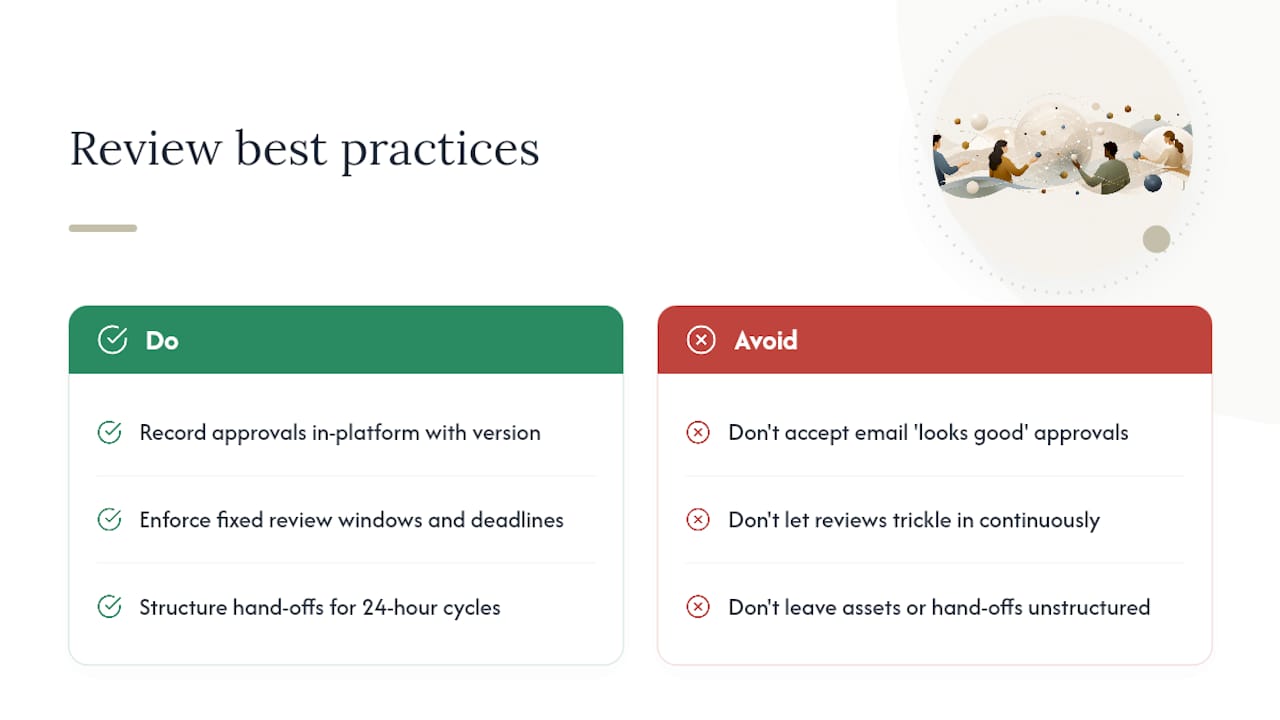
There’s a subtler opportunity hiding in distributed teams too. Editors in one time zone and reviewers in another can turn what looks like a scheduling headache into a 24-hour production cycle, as long as centralized assets and clean hand-off points exist so the next person picks up exactly where the last one stopped. Most teams never structure their workflow to take advantage of that, and it’s a real loss.
None of this requires exotic process. It requires discipline that a platform enforces automatically instead of discipline everyone has to remember on their own.
— Lorenz
How Posthive Puts This Checklist Into Practice
Posthive is the workspace built specifically for the checklist above, not a general file-sharing tool retrofitted for video. Version stacks stay canonical, comments attach to the exact frame, and approvals are a recorded click, not a hopeful email. Projects, tasks, and deadlines live in one dashboard your whole team can see, so nobody has to ask which cut is current.

Storage stays organization-owned, which means a project doesn’t vanish because a freelancer moved on to another client. Role-based access and secure delivery links keep final files out of the wrong hands, and the project management tooling ties every open review note to a task with an owner and a due date. If you want a deeper walkthrough of setup, the post-production workflow guide on the Posthive blog covers configuration in more detail than fits here.
If version confusion, missed deadlines, or ambiguous approvals are costing your team hours every week, visit the Posthive landing page to start a trial or request a demo.
Sources
The workflow patterns in this guide draw on a mix of production-industry references and Posthive’s own operational guides. Worth bookmarking before your next project kickoff:
- Video Review and Approval Workflow: A Practical Guide | Fastio
- Video Review and Approval Guide | Global Pictures Sydney
- How to Manage a Remote Video Editing Team (2026)