Stop Juggling Five Tools: Secure Media Delivery for Post Production
Stop Juggling Five Tools: Secure Media Delivery for Post Production

Secure media delivery means sharing production assets through encrypted storage and transit, role-based access, expiring links, and audit trails, all tied directly to versioning and review. The first move for any production team is simple: turn on multi-factor authentication and role-based access control today, then shift review work to proxy files instead of masters. Posthive builds these controls into a single post-production workspace instead of leaving teams to duct-tape five separate tools together.
TL;DR:
- Encrypted storage and transit, role-based access, expiring links, and audit trails are essential components of secure media delivery in production workflows.
- Locking down access requires defining roles by actual needs, enforcing multi-factor authentication, and regularly reviewing audit logs to prevent unnecessary permissions.
- Separating proxy review from master transfer reduces exposure risk, with best practices including checksum verification, resumable transfers, and dynamic watermarking.
- Insider leaks often stem from process failures such as delayed offboarding or unverified backups, making immediate account deactivation and regular restore testing crucial.
- Using integrated platforms like Posthive simplifies applying these controls, enabling fast, secure review processes without sacrificing production speed.
Table of Contents
- What Does Secure Media Delivery Actually Include?
- How Do You Configure Access Controls for a Production Team?
- What’s the Safest Way to Deliver Cuts and Masters?
- How Do You Prevent Insider Leaks and Data Loss?
- How Posthive Puts These Controls Into Practice
- Balancing Security With Production Speed
- Ready to Put This Into Practice With Posthive?
- Sources
What Does Secure Media Delivery Actually Include?
Secure media delivery is not one feature. It is a stack of controls that work together so a cut, a color grade, or a client screener never leaks before its release date.
The core pieces:
- Encryption in transit and at rest, ideally zero-knowledge or end-to-end, so even the platform provider cannot read your files.
- Role-based access control (RBAC) that limits who sees what, based on their job on the project.
- Expiring links and dynamic watermarking for anything sent outside your core team.
- Audit logs that record who opened, downloaded, or shared a file, and when.
- Versioning with checksum verification so you know the file a client approved is the exact file that ships.
Studios increasingly ask vendors about SOC 2 or ISO 27001 compliance, and for good reason: those frameworks force a provider to document access controls and incident response rather than just claim them. One clarification worth making up front: this is about protecting your working files and client handoffs during production, not the CDN and DRM systems that protect a finished show once it streams to millions of viewers. Those are different problems with different tools.
How Do You Configure Access Controls for a Production Team?
Most leaks are not sophisticated. They are a junior editor with admin rights they never needed, or a freelance colorist who still has a login three months after the job ended. Locking that down starts with mapping roles to actual need, not job title.
- Define roles by function, not seniority. A colorist needs the timeline and the graded master, not the client’s invoice history or the producer’s budget sheet.
- Apply least-privilege by default. Give new team members the minimum access to start, then expand only when a task requires it.
- Enforce MFA everywhere, including email, cloud storage, and your review platform, not just your main production tool. Layered controls like MFA and encryption cut file-transfer risk substantially compared to password-only setups, though adoption across the industry is still far from universal.
- Confirm your provider’s encryption architecture. Many consumer cloud tools market “encryption” without true zero-knowledge design, meaning the provider technically could access your files if compelled or breached. Ask directly whether the vendor holds your encryption keys.
- Turn on audit logging and actually review it. A log that records every open, download, and share event is what lets you answer a client’s “who had access to this footage” question in minutes instead of days.
Role-based security frameworks built for video post-production recommend revoking access the moment a milestone closes, not waiting for the “official” wrap date. That single habit closes one of the most common gaps in freelance-heavy workflows.
Pro Tip: Set a recurring calendar reminder tied to each project’s milestone dates to audit access lists. Waiting until wrap to clean up permissions is how ex-contractors end up with six-month-old download rights.
Zero Trust models, where every session gets verified regardless of network location, are becoming the expected standard for studio review sessions. That matters more now that remote and hybrid post teams are the norm rather than the exception.
What’s the Safest Way to Deliver Cuts and Masters?
The safest workflow separates two very different jobs: getting feedback fast, and moving the final file safely. Trying to do both with the same file is where most exposure happens.
The proxy-first sequence:
- Generate lightweight proxy files immediately after ingest.
- Route all review and approval rounds through the proxy, never the original.
- Lock the cut once approval is final.
- Transfer the full-resolution master separately, often overnight when bandwidth is freer and fewer people are watching the transfer happen.
Studios that separate proxy review from master transfer save bandwidth and shrink the window where a finished master sits exposed on a shared line. It is a pattern built for how post-production actually works, not a theoretical best practice.
For the transfer itself, use resumable transfer tools, verify checksums on both ends, and set links to expire after a fixed window rather than staying live indefinitely. Send the password through a different channel than the link itself, a text message instead of the same email, since a leaked email thread otherwise hands over both pieces at once. For client screeners ahead of a launch, dynamic watermarking that stamps the viewer’s name or timestamp onto the frame discourages casual screen recording far better than a static logo in the corner.
A short verification checklist closes the loop: confirm the checksum matches, confirm the recipient received a delivery receipt, and confirm the link expired on schedule. Skipping that last check is how “temporary” access windows quietly become permanent.
How Do You Prevent Insider Leaks and Data Loss?
Most media leaks trace back to a process failure, not a hacker. Someone left the company and kept access. A laptop walked out the door with cached files still on it. A drive failed and the “backup” turned out to be a single unverified copy.
Build these into standard operating procedure:
- Offboarding, same day: disable every account, reclaim hardware, and confirm files are removed from any personal cloud or device the person used.
- Endpoint controls: block or monitor USB transfers on edit stations, and run anti-malware and endpoint detection tools on every workstation touching client footage.
- Backup structure: follow the 2-1-1-0 pattern, meaning multiple copies on different media, one offsite, one immutable, and zero unresolved errors.
- Restoration testing: run a real quarterly restore test, opening the recovered files rather than trusting a “backup complete” notification.
- Version history: keep granular versioning so an accidental overwrite or a bad edit can be rolled back instead of chased down manually.
Pro Tip: Automate offboarding so account deactivation fires the moment HR marks someone as departed. Manual offboarding is the single most common way former freelancers keep access for months.
How Posthive Puts These Controls Into Practice
Posthive folds most of this into one workspace rather than asking you to stitch together five vendors. Role permissions map to the same project roles discussed above, so a colorist and a producer see different slices of the same project by design, not by manual configuration you have to remember every time.
Inside Posthive, that looks like:
- Access permissions and version history tied together, so every approved cut has a traceable record.
- Review sessions built around proxy playback, keeping masters out of the review loop entirely.
- Cloud connectors that hand off full-resolution transfer to dedicated transfer tools once a cut locks, following the proxy-first pattern studios already trust.
- Activity logs on file access, useful both for internal audits and for answering a client’s due diligence questions directly.
A practical rollout: turn on RBAC and MFA first, shift reviews to proxy-only second, automate offboarding third, then schedule quarterly backup tests. Posthive’s asset organization guide and version control setup guide walk through the first two steps in more detail.
Balancing Security With Production Speed
Security measures that slow down a deadline get quietly bypassed within a week. That’s not a discipline problem, it’s a design problem: controls have to fit inside the pace of a real edit bay or they get worked around. Protecting the master matters more than protecting every intermediate file, and fast, low-friction review through proxies is what keeps a security policy alive past its first tight deadline.
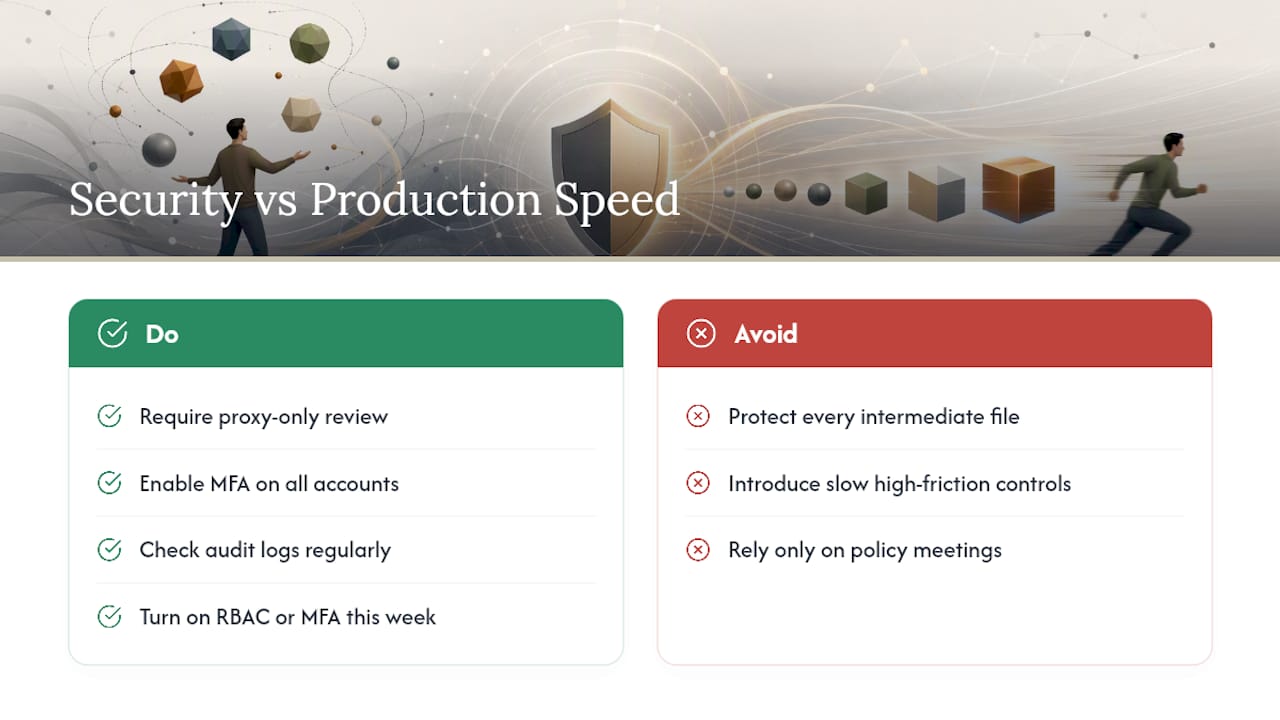
Three non-negotiables for any high-value project: proxy-only review, MFA on every account touching the footage, and an audit log you actually check. None of them require ripping out your current workflow.
If you do nothing else this week, turn on RBAC or MFA. Either one closes more exposure than a month of policy meetings ever will.
— Lorenz
Ready to Put This Into Practice With Posthive?
Posthive is built specifically for post-production handoffs, not general file storage retrofitted for video teams. Role permissions, version history, and review sessions live in the same workspace, so the controls covered above aren’t a separate system you bolt on after the fact.

That means less time reconfiguring five different tools before a client screener and more time actually finishing the cut. If you’re managing masters, client approvals, and freelancer access across multiple projects right now, start a trial on the Posthive landing page and see how RBAC and proxy-first review slot into a project you’re already running. Read the implementation checklists on the Posthive blog first if you want a walkthrough before you commit a live project to it.
Sources
- A guide to implementing role-based security in video post-production — Avid
- Zero Trust Security in Post Production: Why It Matters for Studio Workflows — Sohonet
- File Sharing Methods for Studios: 2026 Guide — Audome
- Protecting creative agency IP in the digital age — Cardonet