Production Teams Ship Accurate Subtitle Translations With Two Pass QA
Production Teams Ship Accurate Subtitle Translations With Two Pass QA

Use a clean master SRT, lock its timing, translate from that master (or a pivot-language version of it), then run timing-safe edits and two subtitle-specific QA passes before export. That sequence is the backbone of any efficient subtitle translation workflow, and it scales because every downstream language inherits the same timing and terminology instead of reinventing both. For catalogs going into a dozen languages, translate through a pivot template first. The payoff is consistency across versions and far fewer rounds of revision.
TL;DR:
- Using a pivot-language master template centralizes terminology and timing, reducing errors and revisions across multiple language versions.
- A high-quality master SRT must have accurate timecodes, natural segmentation, full transcription, and contextual notes on tone and idioms.
- Subtitle translation should focus solely on text; timing is locked and re-segmentation is handled afterward by dedicated editors or timing specialists.
- Two separate QA passes verify factual accuracy and readability, with testing the subtitles in the actual video being essential for catching issues.
- Proper version control, clear role division, and validation of exported files prevent chaos in managing multiple language subtitles and streamline delivery.
Table of Contents
- Building the Master Template Your Subtitle Translation Workflow Depends On
- How Do You Translate Subtitles Without Breaking the Timing?
- What Does Subtitle Quality Assurance Actually Check?
- Handling Songs, On-Screen Text, and Dialect Differences
- Keeping Versions and Handoffs From Turning Into Chaos
- Exporting and Validating Subtitles Before They Go Live
- Posthive in Practice: Running This Workflow on One Platform
- When to Automate and When to Keep a Human in the Loop
- Run This Workflow Inside One Workspace With Posthive
- Sources
- FAQ
Building the Master Template Your Subtitle Translation Workflow Depends On
Every language version you ship inherits the quality of the master. A weak template with sloppy timecodes or missing context multiplies into dozens of small errors once it’s translated across languages, and by the time someone catches it, you’re paying to fix the same mistake five times over.
A production-ready master SRT needs:
- Accurate timecodes matched to actual speech, not approximate cues
- Clean segmentation that breaks at natural phrase boundaries, not mid-clause
- Full transcription, including filler and false starts where they carry meaning
- Speaker identification for multi-voice scenes or interviews
- Contextual notes flagging idioms, brand names, or tone that a translator working blind would miss
Decide early whether your source language or a pivot language (commonly English) becomes the working template. If you’re shipping into 8 or more languages, a pivot template centralizes terminology decisions in one place instead of forcing every translator to interpret the original independently.
Before anything moves downstream, run a pre-translation check: verify timing against picture, confirm segmentation reads cleanly, scan for typos, and strip any internal editorial notes that shouldn’t reach the translator.
Pro Tip: Annotate tone and intent directly in the master, not in a separate email thread. Translators who see “sarcastic, not literal” next to a line make better calls than ones guessing from text alone.
If your team is still cobbling captions together manually, a structured captioning workflow is worth setting up before you touch translation at all.
How Do You Translate Subtitles Without Breaking the Timing?
Timestamps are locked assets during translation, not suggestions. Translators should never touch timing. Their job is text; a dedicated editor or timing specialist handles re-segmentation afterward, because target languages routinely run longer or shorter than the source and need their own pass.
For automated subtitle translation at scale, machine translation with human post-editing is the standard approach for high-volume projects, provided it’s paired with a glossary so terminology doesn’t drift between episodes. MT alone works fine for repetitive corporate training or product update videos. It’s the wrong call for anything carrying humor, subtext, or brand voice.
A practical sequence looks like this:
- Generate a first-pass translation, either MT-assisted or human-drafted, using the locked master.
- Apply the glossary and style rules before a human touches wording.
- Route the draft to a translator for meaning and tone, not timing.
- Flag anything that won’t fit the existing timing window for the editor, rather than adjusting it yourself.
Pivot-language workflows earn their keep here too: producing one strong English master and translating everything else from it, rather than from the original source, reduces coordination overhead across large language sets and keeps terminology consistent language to language.
What Does Subtitle Quality Assurance Actually Check?
Subtitle QA runs in two distinct passes, and skipping either one is how errors reach viewers. Professional pipelines separate meaning from readability because catching one doesn’t catch the other.
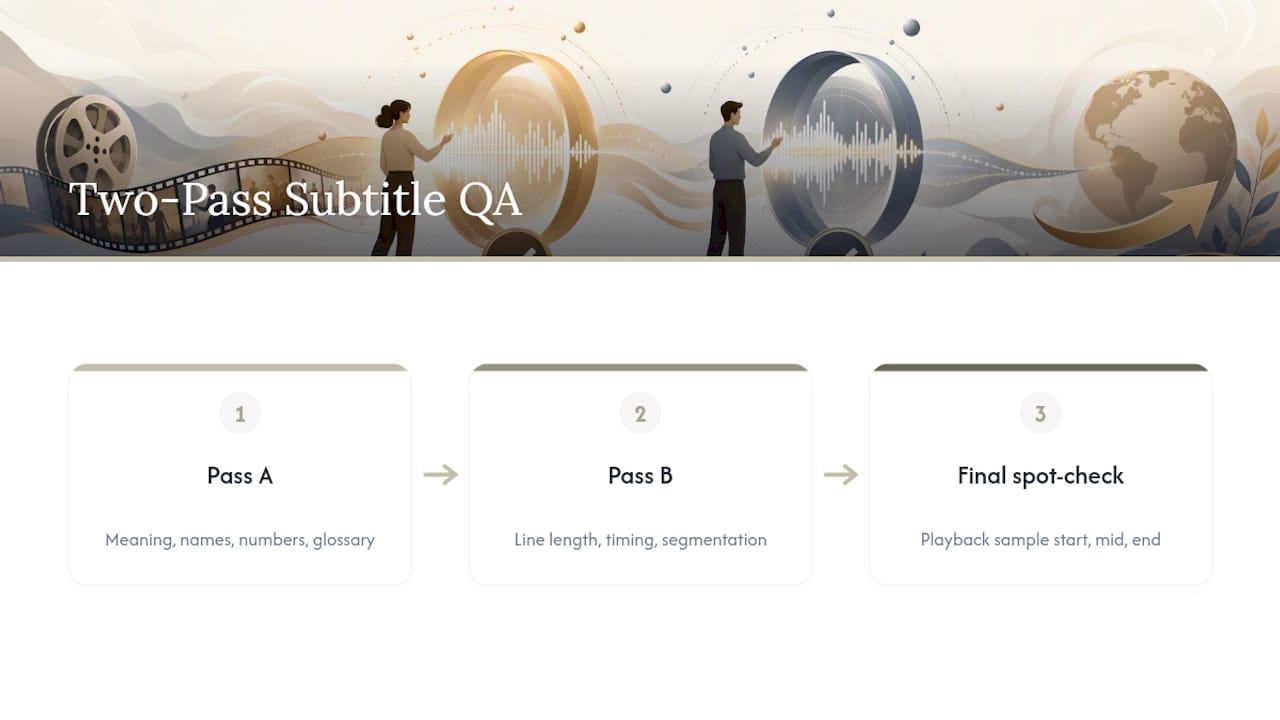
Pass A: meaning and terminology. Check names, numbers, and factual claims against the source. Cross-reference the glossary for consistency. Confirm nothing was mistranslated in a way that changes what’s actually being said.
Pass B: readability and timing. Check line length against on-screen duration, confirm segmentation still reads naturally in the target language, and verify no line flashes too fast to read.
Spot-check the file inside an actual video player, not a text editor. Sample across the beginning, middle, and end of the file rather than reading start to finish. Set a clear acceptance bar: zero meaning errors, and readability issues below whatever threshold your team defines as acceptable for release.
Pro Tip: Watch the video once with subtitles on and sound off. If you lose the thread of the story, a viewer relying entirely on the subtitles will too.
Handling Songs, On-Screen Text, and Dialect Differences
A few recurring problem types cause most subtitle rework, and each has a fast fix:
- Lyrics and rhythmic speech: Decide upfront whether you’re translating meaning or transcribing sound, and bracket sung sections so reviewers know the rules applied.
- On-screen text: Burned-in graphics need their own translation pass since they can’t move with a subtitle track; flag these separately from spoken dialogue.
- Language variants: Set variant rules (European vs. Latin American Spanish, for instance) directly in the glossary so translators aren’t guessing per line.
- Re-segmentation: When a target language runs noticeably longer, let the timing editor split or merge lines rather than cramming translated text into an ill-fitting window.
Keeping Versions and Handoffs From Turning Into Chaos
A naming convention like projectname_lang_v2_reviewed.srt sounds minor until you’re managing 15 language versions and someone opens the wrong one. Build the convention before translation starts, not after the first mix-up.
Split roles clearly:
- Translators edit text only.
- A timing specialist adjusts segmentation and duration.
- One named approver signs off on the final file per language.
Lock the master SRT once translation begins, and route client feedback through a single change log rather than scattered comments, so edits don’t silently overwrite work in progress. A version control system built for video teams removes most of the guesswork here.
Exporting and Validating Subtitles Before They Go Live
SRT covers most delivery needs; VTT is often required for web players and some streaming platforms, so confirm the spec before you export. Run a validation pass covering timestamp integrity, sequential numbering, and UTF-8 encoding, since broken encoding is one of the most common reasons platforms reject a file outright.
Before delivery:
- Confirm every timestamp is sequential with no overlaps
- Check for illegal characters that corrupt display on the target platform
- Spot-check 5 to 10 timestamps against the actual video rather than trusting the export blindly
A final post-production checklist covering sync and device compatibility catches the errors that only show up once a file actually plays somewhere other than your desktop.
Posthive in Practice: Running This Workflow on One Platform
Posthive’s distinctive workflow gives clients direct ownership of deliverables and streamlined version control, paired with task tracking that maps cleanly onto the roles this guide describes.
A typical handoff looks like this inside Posthive:
- Master SRT uploaded and locked as the reference file
- Translator assigned a task tied to that specific file version
- Reviewer task created automatically once translation is marked complete
- Final file locked and delivered through the same workspace, no separate email thread
Teams already running structured task tracking in post-production tend to adapt this handoff pattern fastest, since the role split already exists; subtitles just become another asset type moving through it.
When to Automate and When to Keep a Human in the Loop
Automation earns its place on short marketing clips, product updates, and repeat-format content. Keep humans first on drama, comedy, and technical training, where tone and precision carry the whole piece. As automation share rises, raise senior-reviewer sampling to match. It’s the only way QA scales without quietly letting errors through.
— Lorenz
Run This Workflow Inside One Workspace With Posthive
Production teams can allow translators, timing editors, and clients to work inside the same project without paying per seat. That matters most exactly where this workflow gets fragile: version control, task handoffs, and client review. Posthive keeps the master SRT, translation tasks, and reviewer sign-offs in one place instead of scattered across email threads and shared drives.

If you’re running multilingual subtitle projects across a team right now, check the Pro and Enterprise plans and see which tier matches your current language count and review volume. Setup takes minutes, and your first master SRT can be locked and assigned before the day is out.
Sources
- Best practices for subtitle translation — Amara blog
- Translating subtitles: Everything you need to know — Lokalise blog
FAQ
How Much Do Subtitlers Get Paid?
Rates vary widely by language pair, project complexity, and whether the work is translation-only or includes timing and QA, so there’s no single industry-standard figure to quote.
What Is the Best Software for Subtitle Translation?
There’s no single best tool. Teams typically need a dedicated subtitle editor for timing and segmentation plus a platform like Posthive to manage versioning, task handoffs, and review across a multilingual project.
How Can I Automatically Translate Subtitles?
Run machine translation on a locked master SRT to get a first draft, then apply a glossary and human post-editing before QA. Skipping the human pass is the fastest way to ship readable but tonally wrong subtitles.
What Does ﷽ Translate Into English?
That symbol represents an Arabic religious phrase invoking the name of God, commonly rendered in English as “In the name of God, the Most Gracious, the Most Merciful.” It rarely appears in standard subtitle content outside religious or cultural programming.