Editor Task Tracking: A Practitioner's System for Post-Production
Editor Task Tracking: A Practitioner’s System for Post-Production

For reliable post-production delivery, use a centralized editor task tracker that enforces versioning, frame-accurate review, hard dependency gates, and named owners. That single decision fixes most of what derails a production schedule: lost masters, review rounds that never end, and downstream work starting before upstream approvals land.
Set three things up before you touch anything else:
- A versioning convention everyone follows without exception (stage plus number, timestamped)
- A fixed review window with a hard cap on revision rounds
- A named approver for every gate, so nobody wonders who signs off
The full getting-started checklist, with copyable templates, is further down. Start there once you’ve read why each piece matters.
Key Takeaways
Editor task tracking works when versioning, phase gates, and a single named approver are enforced structurally instead of left to memory and goodwill.
| Point | Details |
|---|---|
| Use gated phases | Block downstream tasks like color and sound until picture lock is formally approved. |
| Standardize version naming | Adopt Stage_v#_YYYYMMDD and mark the canonical master explicitly. |
| Cap review rounds | Limit feedback to two rounds within a fixed review window of a few days, routed through one approver. |
| Model hard dependencies | Schedule around task dependencies, not just calendar dates, to catch blockers early. |
| Centralize in one workspace | Posthive combines version control, phase gates, and frame-accurate review in a single project home. |
Table of Contents
- What Core Features Actually Prevent Editor Task Tracking Failures?
- Building a Workflow Blueprint With One Project Home and Five Phase Gates
- How Should You Name and Organize Version Files?
- How Do You Run Reviews Without Endless Revision Loops?
- How Do You Manage Deadlines When Every Task Depends on Another?
- What Integrations and File Workflows Do Editors Actually Need?
- Getting-Started Checklist: What to Set Up Today
- What Most Advice on Post-Production Workflow Gets Wrong
- How Posthive Puts This Blueprint Into Practice
- Useful Templates and Guides for Deeper Reading
- Sources
What Core Features Actually Prevent Editor Task Tracking Failures?
Most post-production breakdowns trace back to the same handful of gaps, and they’re fixable with the right feature set rather than more willpower.
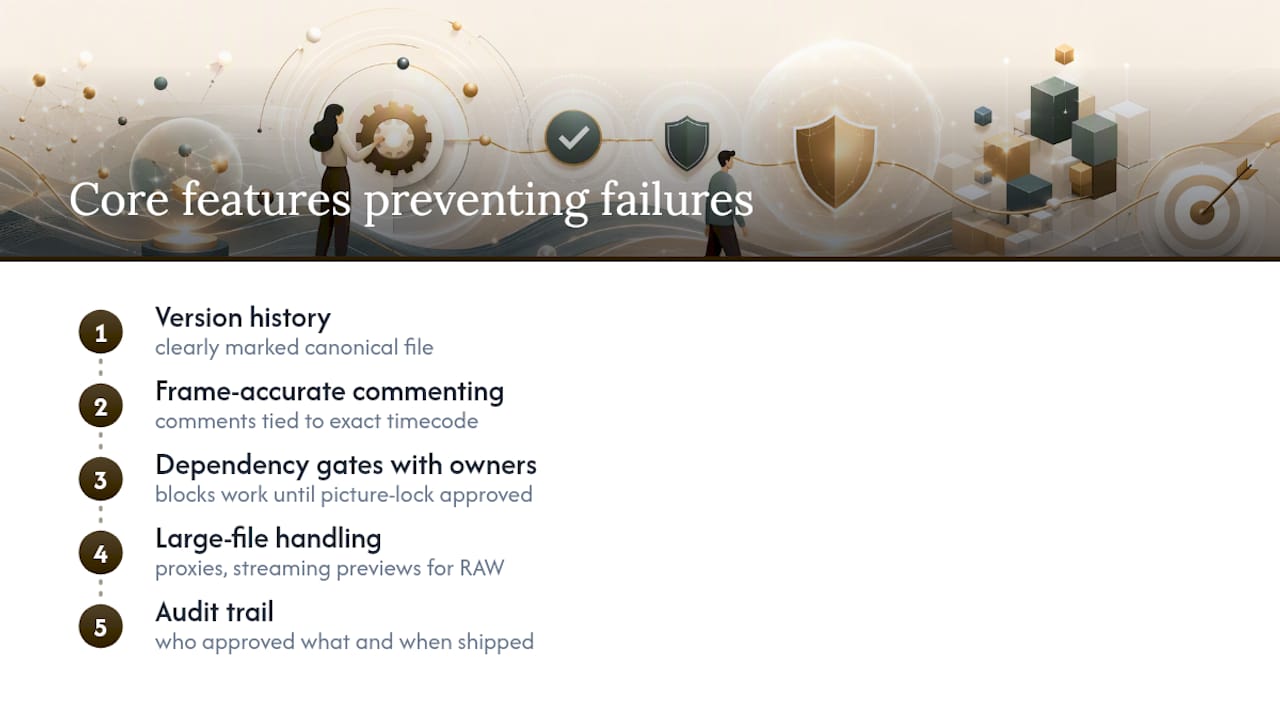
Version history with a clearly marked canonical file is the first non-negotiable. Editors waste hours weekly re-locating “the real one” when three people have exported “final_v3” with three different meanings. Frame-accurate commenting solves a related problem: a note like “fix the transition around 1:14” is useless if nobody agrees what “around” means. Tie comments to an exact timecode and they become tasks automatically, not vague suggestions someone has to interpret.
Dependency gates matter just as much. Color grading and sound mixing simply cannot proceed until picture lock is approved, so the system should block those tasks rather than trust everyone to remember the order. Add named owners to every gate, or approvals stall in nobody’s inbox.
Two more items round it out: large-file handling (proxies, streaming previews, cloud storage that doesn’t choke on RAW footage) and an audit trail showing who approved what and when a deliverable actually shipped.
Pro Tip: If your current setup can’t answer “who approved this version, and when” in under ten seconds, that’s your first fix, not your fifth.
Building a Workflow Blueprint With One Project Home and Five Phase Gates
Scattered tools create scattered decisions. A single project home reduces the seams between where work happens and where decisions get recorded, which is where most miscommunication actually lives.
Structure that home around five fixed regions:
- Brief – scope, deliverable specs, deadline
- People – roles and who owns which gate
- Phases – where the project sits right now
- Work – the active task list, tied to phase
- Decisions log – every approval, timestamped, with the approver’s name
Run the project through five phases, each with a gate and a named approver: rough cut → picture lock → color → sound → final delivery. A gate isn’t a suggestion. It stops downstream work cold until the approver signs off, which is exactly what prevents a colorist from grading footage that gets re-cut two days later.
- Rough cut approved by the editor lead
- Picture lock approved by the director or client
- Color approved by the DP or creative director
- Sound approved by the same picture-lock approver
- Final delivery approved against the original deliverable spec
Add one habit on top of the structure: a 15-minute weekly pulse where the team reviews open blockers and reassigns anything stuck for more than 48 hours. It’s short enough that nobody skips it, and it catches drift before it becomes a missed deadline.
How Should You Name and Organize Version Files?
Loose file names are where post-production time actually goes to die. A consistent naming convention removes the guesswork entirely.
Use a stage-plus-number format with a date stamp: Stage_v#_YYYYMMDD. So a third color pass finished on March 4 becomes Color_v3_20260304. Anyone opening the folder cold knows the stage, the revision count, and the age of the file in under two seconds.
- Mark the canonical master explicitly (a folder tag, a locked status, or a “MASTER” prefix) so nobody edits a copy by mistake
- Archive superseded versions instead of deleting them; storage is cheaper than a lost edit
- Let the tool capture metadata automatically where possible. Manual logging is where naming conventions quietly fall apart
- Organize multi-output projects by deliverable, not by version: a
/Deliverables/Instagram_16x9/folder next to/Deliverables/Broadcast_Master/beats one folder holding every format at once
None of this is glamorous. It’s also the difference between finding the right file in five seconds and burning twenty minutes hunting through a shared drive an hour before delivery.
How Do You Run Reviews Without Endless Revision Loops?
Unstructured feedback is the single biggest time sink in post-production, and it’s almost entirely self-inflicted. Fix the structure and the rework drops on its own.
- Set a fixed review window (a realistic review lead time of several days is realistic) and communicate it at kickoff, not mid-project.
- Cap the rounds at two, with a clear rule that anything beyond round two is a change order, not a free revision.
- Route all feedback through one approver. Batching and consolidating client notes into a single pass prevents five stakeholders from sending five conflicting comment threads.
- Number every note and attach a status (open, addressed, rejected) plus a timestamp, so nothing gets lost or re-litigated.
- Convert comments into tasks automatically, assigned to the editor responsible, rather than leaving them as a comment thread someone has to manually translate into a to-do list.
Capping rounds isn’t about limiting creative input. It’s about converting open-ended feedback into a decision within a set window, which is what actually moves a project toward delivery.
Pro Tip: Put the a cap on revision rounds, typically a limited number in writing during kickoff, not after round three has already started. It’s much easier to enforce a rule everyone agreed to than one you’re introducing mid-argument.
How Do You Manage Deadlines When Every Task Depends on Another?
Date-based scheduling breaks the moment one task runs long, because a calendar doesn’t know that sound mixing can’t start until picture lock closes. Build the schedule around dependencies instead of dates alone.
- Model hard dependencies directly: color can’t start until picture lock is approved, delivery can’t start until sound is approved
- Estimate review lead times honestly. Plan for a realistic review lead time of several days per round rather than assuming same-day turnaround
- Use status flags tied to gate state (blocked, ready, in review, approved) so anyone glancing at the board knows exactly where a task stands
- Automate the notification the moment a gate closes or a blocker appears, so the next owner doesn’t find out three days later by accident
A dependency-aware schedule doesn’t eliminate delays. It just means you find out about them the day they happen instead of the day before delivery.
What Integrations and File Workflows Do Editors Actually Need?
The technical layer either supports the workflow or quietly undermines it. A few specifics matter more than the rest.
Pull editor name, timestamp, and version directly from NLE ingest whenever the tool allows it. Manual logging is the first thing people skip under deadline pressure. For review, proxy generation and streaming previews keep remote reviewers moving without forcing them to download full-resolution files on a hotel Wi-Fi connection.
- Offer branded, account-light share links so clients can comment without creating a login
- Generate proxies automatically on upload rather than as a manual export step
- Define archive rules and multi-output export specs inside the delivery gate itself, not as a separate afterthought
- Confirm large-file support up front; a tool that chokes on RAW footage or ProRes masters will surface that problem at the worst possible time
Getting-Started Checklist: What to Set Up Today
You don’t need a new tool to start most of this. You need the following four things written down before your next project kicks off.
- Build the project home with five fields: brief, people, phases, work, decisions log. A simple folder structure like
/Project/01_Brief/,/02_Phases/,/03_Work/,/04_Decisions/works even without dedicated software. - Adopt the naming template
Stage_v#_YYYYMMDDand apply it to every export starting today, not just new projects. - Write the review terms into your kickoff doc: a fixed review window of a few days, a cap on revision rounds, typically a limited number, and one named approver for consolidated feedback.
- Set three automation rules, whether in your current tool or your next one: flag any file not following the naming convention, auto-notify the next owner when a gate closes, and alert the team lead the moment a task sits blocked for more than 48 hours.
Pro Tip: Roll this out on one project first, not your whole slate at once. The naming convention and gate structure need a single real test before you ask a five-person team to adopt them simultaneously.
What Most Advice on Post-Production Workflow Gets Wrong
Most workflow advice treats every problem as a communication problem, so the fix is always “talk more” or “check in more often.” That’s backwards. A weekly pulse meeting can’t compensate for a task list that doesn’t actually block dependent work. If color grading can start before picture lock is signed off, no amount of Slack messages prevents the rework that follows.
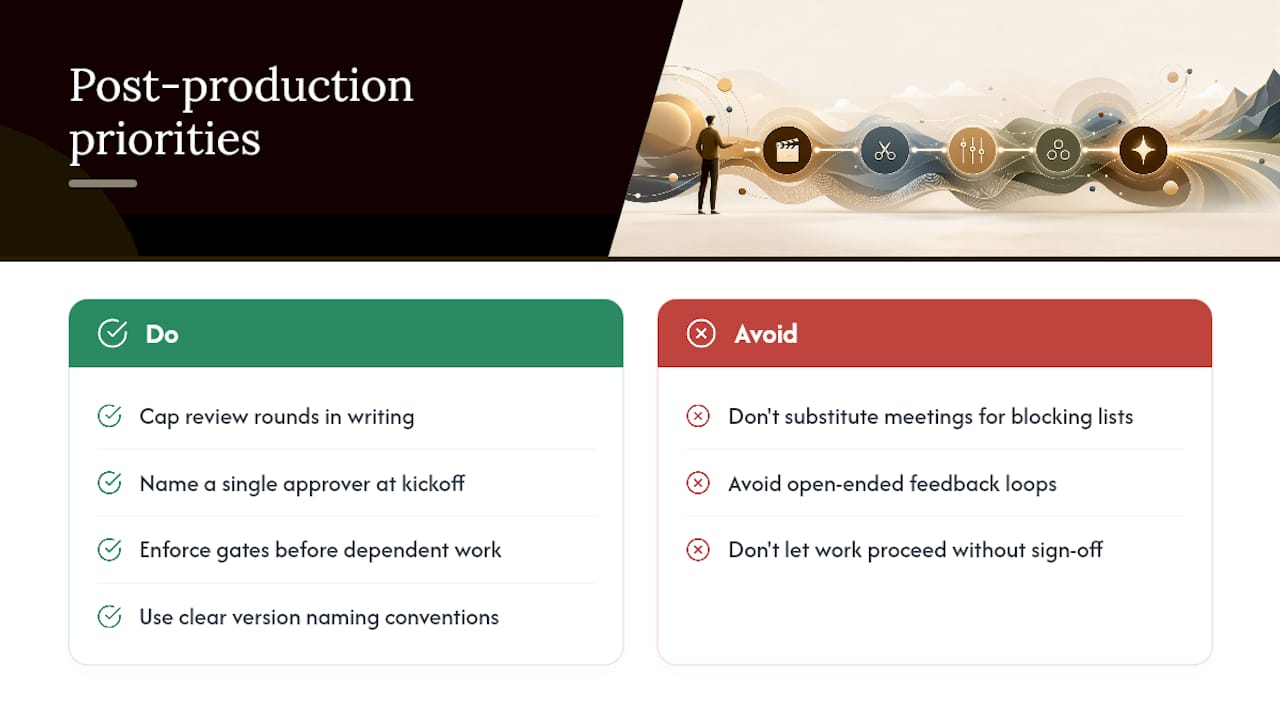
The overrated piece of conventional wisdom is unlimited revision rounds framed as good client service. It isn’t. Open-ended feedback loops don’t produce better cuts. They produce editor fatigue and blown deadlines, and the client rarely notices the difference between round two and round five except that round five arrived a week late.
What the reader should prioritize first isn’t a tool at all. It’s the decision to cap review rounds and name a single approver before the project starts, in writing, at kickoff. Everything else, from version naming to gate automation, is easier to enforce once that one agreement exists. Skip it, and even the best-configured tracker turns into a very organized record of the same chaos.
— Lorenz
How Posthive Puts This Blueprint Into Practice
Posthive was built around the exact structure this article describes, not retrofitted to match it after the fact. If you’ve read this far and thought “this is right, but who’s going to enforce it,” that’s the actual problem Posthive solves.

Three mappings worth knowing about. Version control: Posthive captures version history automatically and marks the canonical master, so nobody has to remember which export is real. Gates and approvals: phases and named approvers live inside the same workspace as the task list, so downstream work is blocked structurally, not by policy alone. Frame-accurate review and cloud proxies: comments attach to exact timecodes and convert into assigned tasks, while proxy generation keeps remote reviewers moving without full-resolution downloads.
Posthive is a dynamic post-production workspace designed around version management, task tracking, and cloud connectivity for creative teams who are tired of losing track of the master file. If the checklist above is where you want your team to land, try Posthive on your next project and see whether the structure holds up under a real deadline.
Useful Templates and Guides for Deeper Reading
- Smartsheet’s video project template for task dates, status, and timeline structure
- Storyflow’s team workflow guide for phase-and-gate examples in practice
- Fastio’s 2026 video project guide for proxy and large-file workflow specifics
- Aubiomix’s mix engineer guide for handoff gating between editorial and sound
Sources
- Post Production Project Management Software – Project Management Formula
- Complete Video Planning Resource | Smartsheet
- How to Manage a Video Project With a Team: A Step-by-Step Guide | Storyflow
- Video Project Management: A Practical Guide for 2026 | Fastio