Gantt vs Kanban: A Decision Guide for Project Managers
Gantt vs Kanban: A Decision Guide for Project Managers
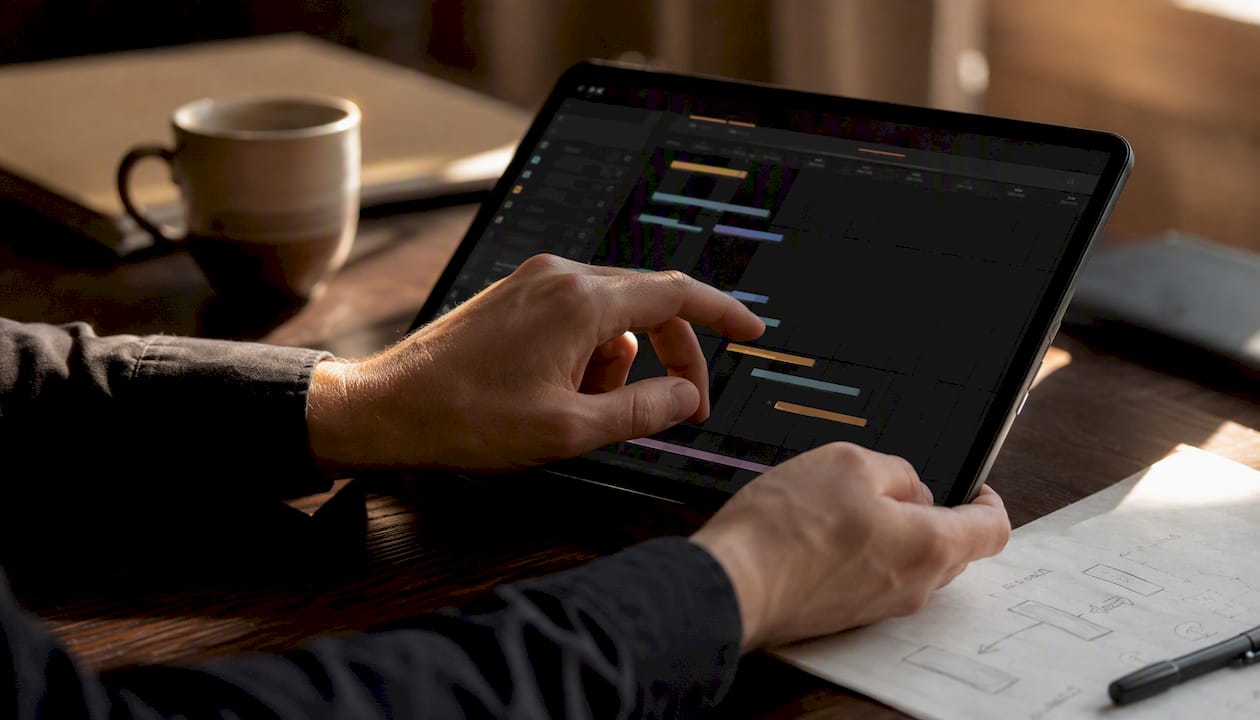
Use a Gantt chart when your project has firm deadlines, layered dependencies, and stakeholders who need a time-based overview. Use a Kanban board when work arrives unpredictably, priorities shift often, and your team needs to keep moving without heavy planning overhead. Use both when you’re running a program with multiple teams or a creative production where milestones matter but daily execution is fluid.
Three questions drive the choice:
- Deadline rigidity. Fixed launch date with sequenced phases? Gantt. Rolling backlog with no hard end date? Kanban.
- Dependency complexity. Multiple tasks that can’t start until others finish? Gantt’s critical path view earns its keep. Mostly independent work items? Kanban handles it with far less overhead.
- Rate of incoming work. Predictable scope? Gantt. Frequent, unpredictable requests? Kanban absorbs them without forcing a full replanning cycle.
Pro Tip: If you’re genuinely unsure, start with Kanban. It’s faster to set up, easier to maintain, and you can layer in a lightweight milestone timeline later once you understand the work’s natural rhythm.
Key Takeaways
The right choice between Gantt and Kanban comes down to one question: is your primary constraint time or flow?
| Point | Details |
|---|---|
| Gantt for deadline-driven work | Use a Gantt when you have fixed dates, sequenced dependencies, and stakeholders who need a timeline view. |
| Kanban for continuous flow | Use a Kanban board when work arrives unpredictably and the team needs to reprioritize without replanning. |
| Hybrid for complex programs | Combine a milestone Gantt at the program level with team-level Kanban boards for daily execution. |
| Track the right metrics | Gantt teams track schedule variance and milestone slippage; Kanban teams track cycle time, throughput, and WIP. |
| Posthive for post-production | Posthive unifies version control, task tracking, and client approvals so creative teams can run both views in one workspace. |
Table of Contents
- What a Gantt chart is and why it still matters
- Gantt chart pros and cons
- What a Kanban board is and how it works
- Kanban board pros and cons
- How Gantt and Kanban compare across the dimensions that actually matter
- When to use a Gantt, when to use Kanban, and when to use both
- How to combine Gantt and Kanban without creating two sources of confusion
- Decision checklist: five questions that point you to the right tool
- How creative and post-production teams actually use Gantt and Kanban together
- An honest take on which tool to start with
- Posthive keeps your timeline and your flow in one workspace
- Sources
What a Gantt chart is and why it still matters
A Gantt chart is a timeline-based bar chart that maps project tasks against calendar dates, showing when each task starts and ends, how tasks depend on one another, and where the critical path runs. It was developed by Henry Gantt in the early 20th century and remains the standard for projects where sequence and schedule are non-negotiable.
The core components of any Gantt chart:
- Tasks. Each row represents a discrete piece of work.
- Bars. The horizontal bar shows duration — start date on the left, end date on the right.
- Dependencies. Arrows or lines connect tasks that must finish before another can begin.
- Milestones. Diamond markers flag key deliverables or decision points.
- Critical path. The longest chain of dependent tasks that determines the project’s minimum duration.
A simple four-task Gantt might look like this: Row 1 is “Script review” running from Day 1 to Day 3. Row 2 is “Voiceover record” starting Day 4 (dependent on Row 1). Row 3 is “Edit assembly” starting Day 6. Row 4 is “Client review” starting Day 10 with a milestone marker. That structure alone tells a stakeholder everything they need to know about sequence and timing.
For a usable Gantt, you need at minimum five fields per task: task name, owner, start date, end date, and dependency (which task must precede it). Everything else — priority tags, status colors, percent complete — is optional and often adds maintenance burden without proportional value.
Gantt chart pros and cons
According to the Association for Project Management, Gantt charts are the recommended tool for high-stakes, multi-dependency projects where stakeholders require a time-based overview and critical-path visibility. That recommendation comes with real caveats.
Strengths:
- Timeline clarity. Everyone on the team and in the boardroom can read a Gantt at a glance. No training required.
- Dependency mapping. You can see exactly which tasks are blocked and by what, which is invaluable during planning.
- Critical path visibility. Knowing which tasks have zero float tells you where to focus risk management effort.
- Stakeholder-ready reporting. A Gantt screenshot in a status deck communicates schedule health faster than any written summary.
Weaknesses:
- Maintenance overhead. When scope shifts, every downstream dependency must be updated manually unless your tool automates it. A stale Gantt is worse than no Gantt — it misleads.
- Brittleness under change. A single delayed task can cascade through the chart, requiring a full replanning session at the worst possible moment.
- Poor at showing flow. A Gantt tells you when work should happen, not how work is moving through your team. Bottlenecks are invisible until a task bar turns red.
- Weak for ad-hoc requests. Unplanned work doesn’t fit neatly into a pre-drawn timeline. Teams often just ignore the Gantt when reality diverges too far from the plan.
Pro Tip: Keep your Gantt shallow. Limit it to two or three levels of task hierarchy, keep milestones at the deliverable level rather than the sub-task level, and automate date calculations wherever your tool allows. A Gantt with 200 rows and manual date entry is a liability, not an asset.
What a Kanban board is and how it works
A Kanban board is a visual system for managing work as it flows through a defined process, using columns to represent stages and cards to represent individual work items. Per The Kanban Guide (v2025.5), Kanban is formally defined as a strategy for optimizing the flow of value through a process, with three core practices: define and visualize a workflow, actively manage items in that workflow, and continuously improve the system.
The core components:
- Columns. Each column is a stage in your workflow (e.g., To Do / In Progress / Review / Done).
- Cards. Each card is one work item, typically with an owner, description, and due date if applicable.
- WIP limits. A cap on how many cards can sit in any one column at a time. This is what separates a real Kanban system from a sticky-note wall.
- Policies. Explicit rules for when a card moves from one column to the next (e.g., “In Review” requires a second set of eyes before moving to Done).
A minimal board for a creative team might look like: To Do (limit: 10) → In Progress (limit: 3) → Client Review (limit: 5) → Done. The WIP limit on “In Progress” forces the team to finish work before pulling new work in, which surfaces bottlenecks instead of hiding them under a growing pile of half-done tasks.
Pro Tip: The WIP limit is not a suggestion. Teams that skip WIP limits get a visual board but not a Kanban system. Set the limit low enough to feel slightly uncomfortable — that tension is the mechanism that drives flow.
Kanban board pros and cons
Scrum Alliance notes that Kanban is particularly effective for teams with frequent, unpredictable incoming work, and that it can be applied across many functions — from software support to creative production to operations.
Strengths:
- Flow optimization. Work moves continuously rather than in batches, which reduces wait time and speeds delivery.
- Quick reprioritization. Urgent work can jump the queue without forcing a full sprint replanning. You move a card, not a Gantt.
- Low maintenance. The board updates itself as the team moves cards. There’s no PM sitting on Sunday night adjusting dependency chains.
- Team ownership and visibility. Every team member can see what’s blocked, what’s in progress, and what’s waiting. Blockers surface immediately by card position rather than by a status report.
Weaknesses:
- Weak for complex dependencies. Kanban has no native way to show that Task B can’t start until Task A finishes. You can work around it with policies, but it’s not elegant.
- Long-term milestone planning is harder. A Kanban board tells you about now. It doesn’t easily answer “will we hit the Q3 launch?”
- Forecasting requires historical data. To predict delivery dates from a Kanban system, you need flow metrics: cycle time (how long a card takes from start to done), throughput (how many cards complete per week), and WIP (how many items are active at once). Without that history, estimates are guesswork.
Those flow metrics — cycle time, throughput, and WIP — are the Kanban equivalents of a Gantt’s schedule metrics. The Kanban Guide lists them as mandatory for a properly run Kanban system. If your team isn’t tracking them, you’re running a visual board, not a Kanban system.
How Gantt and Kanban compare across the dimensions that actually matter
TechRepublic’s practitioner comparison frames the core difference clearly: Gantt charts emphasize schedule and dependencies while Kanban emphasizes flow and team ownership. Many teams use a hybrid, with Gantt for high-level planning and Kanban for execution.
| Dimension | Gantt chart | Kanban board |
|---|---|---|
| Best for / use case | Deadline-driven projects with fixed scope and sequenced phases | Continuous delivery, support, ops, or high-volume creative work |
| Timeline and predictability | Strong — shows exact dates and critical path | Weak natively; requires flow metrics and historical data to forecast |
| Handling dependencies | Excellent — dependency arrows are a core feature | Limited — requires workarounds or policy rules |
| Flexibility to reprioritize | Low — scope changes cascade through the chart | High — move a card, update a policy, done |
| Visibility for stakeholders | High — easy to read for non-PMs | Moderate — requires explanation of columns and WIP limits |
| Ease of maintenance / overhead | High overhead — requires active PM upkeep | Low — board is self-updating as the team works |
| Scalability / project size | Scales well for large, complex projects; gets unwieldy past ~100 tasks | Scales well for high-volume, smaller tasks; less suited for multi-team programs |
| Metrics to track | Schedule variance, critical path float, milestone slippage | Cycle time, throughput, WIP, flow efficiency |
Where Gantt clearly wins: multi-phase launches, construction projects, regulatory submissions, and any work where a missed dependency causes real downstream damage.
Where Kanban clearly wins: support queues, content production pipelines, bug triage, and any context where work arrives faster than you can plan it.
Where they overlap: both visualize work, both surface progress, and both can be adapted to most team sizes. The choice is about which dimension — time or flow — is the primary constraint.
When to use a Gantt, when to use Kanban, and when to use both
The tool should match the nature of the work, not the preference of the PM.
Reach for a Gantt when:
- You’re running a product launch with a fixed go-live date and sequenced phases (design → build → QA → release).
- The project has hard dependencies — legal review must finish before marketing can publish, for example.
- Stakeholders outside the team need a time-based status view on a regular cadence.
- You’re managing a construction, event, or regulatory project where sequence is contractually defined.
Reach for Kanban when:
- Your team handles a continuous stream of requests — support tickets, revision requests, content briefs — with no fixed end date.
- Priorities shift week to week based on client or business needs.
- The work is largely independent (each item can be completed without waiting for another to finish).
- You want the team to self-manage flow rather than waiting for a PM to assign and sequence tasks.
Per Inflectra’s practitioner analysis, Kanban is the better fit for teams that must adapt to frequent changes and for continuous-delivery contexts. It’s simpler to implement and better for operations and support work than iteration-based frameworks.
Use both when:
- You’re running a program with multiple teams. The program Gantt tracks milestones and cross-team dependencies; each team runs its own Kanban for daily execution.
- You’re managing a marketing campaign. A lightweight Gantt tracks the launch date and key deliverables; a Kanban board manages the daily content and asset production.
- You’re in post-production. A Gantt maps the delivery schedule (rough cut → picture lock → color → audio → delivery); a Kanban manages the review and revision queue for each version.
How to combine Gantt and Kanban without creating two sources of confusion
The most common hybrid failure isn’t a tool problem — it’s a sync problem. Teams maintain a Gantt that no one updates and a Kanban that no one connects to the milestone plan. The result is two systems that contradict each other by week three.
Three patterns that actually work:
Pattern 1: Program timeline + team boards. The program manager owns a Gantt with milestones and cross-team dependencies. Each team owns a Kanban board for their execution. The connection point is the milestone: when a Kanban card reaches “Done” and it’s a milestone deliverable, the PM updates the Gantt. One person, one update, one source of truth per level.

Pattern 2: Milestone-triggered Kanban waves. The Gantt defines phases (e.g., “Phase 2 begins when Phase 1 deliverables are approved”). When a phase opens, a new set of cards populates the Kanban board. The board runs until the phase closes. This works well for creative production where each delivery cycle is distinct.
Pattern 3: Two-tier planning with weekly sync. The Gantt lives at the monthly/quarterly level. The Kanban lives at the weekly level. A 30-minute weekly sync reconciles them: does the Kanban’s actual throughput match the Gantt’s planned pace? If not, the PM adjusts the Gantt before it becomes fiction.
The simplest hybrid implementation, step by step:
- Set three to five milestones in your Gantt (major deliverables only, no sub-tasks).
- Map the dependencies between milestones so you know the critical path.
- For each phase between milestones, create a Kanban board with columns matching your team’s actual workflow.
- Run the Kanban for daily execution. Track cycle time from the start.
- Hold a weekly sync: compare actual Kanban throughput to the Gantt’s planned pace and adjust one or the other.
The most dangerous hybrid is one where the Gantt is updated monthly and the Kanban is updated daily. By the end of week two, they describe different projects. Keep the sync cadence tight — weekly at minimum — or collapse back to one tool.
Pro Tip: Assign one person to own the Gantt update after each weekly sync. If that job belongs to everyone, it belongs to no one, and the timeline goes stale within a sprint.
Decision checklist: five questions that point you to the right tool
Run through these before your next project kickoff. Score one point for each “yes.”
Questions:
- Does this project have a fixed end date that cannot move? (Yes = Gantt signal)
- Are there three or more tasks that cannot start until a predecessor finishes? (Yes = Gantt signal)
- Does new work arrive unpredictably, more than twice per week? (Yes = Kanban signal)
- Will the team need to reprioritize frequently based on client or business input? (Yes = Kanban signal)
- Do stakeholders outside the team need a time-based status view at least monthly? (Yes = Gantt signal)
Scoring:
- 3–5 Gantt signals: Use a Gantt. Add a lightweight Kanban only if execution-level visibility is also needed.
- 3–5 Kanban signals: Use a Kanban. Add a milestone-only Gantt if there’s a hard delivery date.
- Mixed (2–3 of each): Use a hybrid. Start with the Gantt for milestones, Kanban for execution.
Red flags that should force a rethink:
- You have more than 15 undocumented dependencies. A Gantt without documented dependencies is a bar chart, not a project plan.
- Your team hasn’t updated the board or chart in more than a week. The tool isn’t working for the team — simplify or switch.
- You have no historical flow data and you’re trying to forecast with Kanban. You need at least four to six weeks of cycle time data before Kanban forecasting is reliable.
- You’re maintaining both a Gantt and a Kanban with no defined sync ritual. Merge them or drop one.
| Point | Details |
|---|---|
| Fixed deadline + dependencies | Score three or more Gantt signals and use a timeline-based chart. |
| Unpredictable work + reprioritization | Score three or more Kanban signals and run a flow-based board. |
| Mixed signals | Use a hybrid: milestone Gantt at the program level, Kanban for daily execution. |
| Red flag: stale tools | If neither tool is being updated, simplify before adding more structure. |
How creative and post-production teams actually use Gantt and Kanban together
Post-production is one of the clearest real-world cases for a hybrid. The delivery schedule is fixed — a broadcast date, a client premiere, a platform upload deadline — but the revision process is anything but predictable. Clients request changes, versions multiply, and approval cycles rarely follow a linear path.

A typical post-production hybrid looks like this: the program Gantt tracks five or six milestones (rough cut, picture lock, color grade, audio mix, QC, delivery). Each milestone has a hard date tied to the contract. Between milestones, the team runs a Kanban board with columns like In Edit / Awaiting Feedback / Revisions Requested / Approved / Delivered. Each version of each deliverable gets its own card. When a card reaches “Approved,” the PM marks the corresponding Gantt milestone as complete.
This structure works because it separates two genuinely different problems. The Gantt answers “are we on track for delivery?” The Kanban answers “what is the team working on right now, and what’s stuck?”
Posthive is built for exactly this pattern. Its workspace combines version management, task tracking, and client approval workflows in one place, so the review queue and the delivery timeline don’t live in separate tools. Key capabilities that map directly to the hybrid:
- Version control and delivery tracking keep every cut, revision, and approval in one place, eliminating the “which version did the client approve?” problem.
- Task and deadline tracking give the team Kanban-style visibility into what’s in progress and what’s waiting for client input.
- Client feedback and approval workflows close the loop between the Kanban review lane and the Gantt milestone, so approvals actually update the delivery record.
Pro Tip: Set a milestone gating rule: no new version goes to the client until the previous version has a formal approval or rejection on record. Keeping the approval queue shallow — no more than one open version per deliverable — prevents the feedback cycle from becoming a bottleneck that stalls the entire timeline.
An honest take on which tool to start with
The conventional wisdom in project management is to reach for a Gantt first because it looks thorough and professional. That instinct is often wrong. A Gantt built before you understand the work’s actual rhythm is a fiction dressed up as a plan. It gives stakeholders false confidence and gives the team a document to ignore.
Start with Kanban if you’re not sure. Run it for four weeks on a real project. Track cycle time from the moment a card enters “In Progress” to the moment it reaches “Done.” Track throughput: how many cards does the team complete per week? After four weeks, you’ll know the team’s actual capacity, the average time each type of work takes, and where the bottlenecks consistently appear. That data is worth more than any upfront Gantt.
Then, if the project has a hard deadline, layer in a milestone Gantt. You’ll build it with real numbers instead of optimistic guesses, and it will stay accurate because the Kanban is feeding it live throughput data.
Watch two metrics during the experiment: cycle time (is it stable or erratic?) and milestone slippage (is the Gantt staying accurate or drifting?). If cycle time is stable and milestones are holding, the hybrid is working. If either is erratic, the sync ritual needs tightening before you add more complexity.
Posthive keeps your timeline and your flow in one workspace
Post-production teams shouldn’t have to choose between a delivery timeline and a revision board. Posthive gives you both in one place — version control, task tracking, calendar and timeline views, and client approval workflows that connect your Kanban review lanes directly to your delivery milestones.

Three capabilities that map directly to the Gantt-Kanban decision:
- Timeline and milestone tracking so stakeholders always have a date-based view of where the project stands.
- Kanban-style task boards for managing daily execution, revision queues, and approval cycles without heavy planning overhead.
- Client feedback and approval workflows that close the loop between a completed card and a confirmed milestone, so nothing slips through.
If you’re running creative projects and spending more time managing tools than managing work, try Posthive and see how a unified workspace changes the pace.
Sources
- The Kanban Guide (v2025.5) — PDF
- Where (and When) is Kanban Used? | Scrum Alliance Resource Library
- What Is a Gantt Chart? | APM
- Kanban vs Gantt charts: Can kanban effectively replace Gantt charts? — TechRepublic
- Gantt chart — Investopedia
- When to use Kanban: Scenarios for Kanban vs Scrum | Inflect
Recommended
Created with BabyLoveGrowth to get found on Google and AI search