
Motion Graphics Review: A Stage-by-Stage Workflow

A motion graphics review goes well when each round asks the reviewer to approve one thing, the notes arrive in one place, and every note points to a moment in a specific version. It goes badly when feedback comes from five people through four channels and nobody can say which cut they were watching. This guide covers what to check at each stage, how to write notes an animator can act on, and how to keep comments and versions organized. Posthive is built for that last part: one workspace for review, versions and approvals.
TL;DR
- Review in stages (storyboard, style frames, animatic, animation, final render) and approve one clear thing at each, because late changes cost far more than early ones.
- Watch each draft more than once: for message, with the sound off, and frame by frame at key moments.
- Write timestamped notes that describe what you see and what you want the viewer to feel, not which animation technique to use.
- Collect feedback from one decision owner per round, in one document, and treat late notes as a new round.
- Keep comments tied to versions in a single workspace so nobody reviews an outdated file.
Table of Contents
- What a motion graphics review actually covers
- The review stages and what each one locks
- What to check at each stage
- Three passes through every draft
- How to write feedback an animator can use
- Run one round, not ten conversations
- Keeping comments and versions organized
- A worked example: reviewing a brand motion pack
- Perspective
- Put the workflow in one workspace
- FAQ
- Sources
What a motion graphics review actually covers
Motion graphics are animated graphic design: titles, lower thirds, logo stings, explainers and branded transitions. Reviewing them is different from reviewing live-action footage. There is no performance to judge. You are judging message, layout, timing, movement and polish, and each of these is cheap to change at one point in production and expensive at another.
That is why the useful question is not “do I like it?” but “what am I being asked to approve right now?” A production guide from the studio Thebes frames stage-gated review as cost control: changing a word in the script takes minutes, while the same change after animation is expensive. Its answer is to have the client approve one clear thing at a time, and to separate a correction (an error, or a departure from what was approved) from a change (a new request after approval that widens scope and may move schedule and cost).
Keep that distinction in your review vocabulary. It lets a freelancer or agency say, calmly, “that is a correction, we will fix it” or “that is a change, here is what it does to the timeline.”

The review stages and what each one locks
The same Thebes guide maps each stage to what gets approved and how costly it is to change later. The table below condenses it.
| Stage | What you approve | Cost of changing it later |
|---|---|---|
| Brief | Goal, audience, message, specs | Very low |
| Script | Wording and message | Low |
| Storyboard | Sequence and composition | Low to medium |
| Style frames | Final look, colors, type | Medium |
| Animatic | Timing and total length | Medium |
| Voice-over | Read and delivery | Medium to high |
| Animation | Movement and transitions | High |
| Sound and delivery | Mix, export, specs | High if the change reaches back |
The practical rule: put structural comments as early as you can. Notes about story order belong at the storyboard, notes about look belong at style frames, and notes about pacing belong at the animatic. By the time full animation arrives, the only notes that should be left are about movement, clarity and polish.
What to check at each stage
Storyboard and style frames
A guide to reviewing video projects by Jocelyn Randolph says storyboard review should look at scene concepts, visual storytelling, how the product is represented, on-screen copy, action notes and information hierarchy. In plain terms: does each frame say what it should, in the right order, with the most important thing seen first?
If legal, compliance or leadership reviewers need to see the work, the same guide recommends bringing them in at script review so major messaging changes do not land after production has progressed. That one habit prevents the most painful late rewrites.
At style frames you are approving the final look: colors, typography, layout. Check these against the brand guidelines now, because every frame of animation will inherit them.
The animatic
An animatic is the storyboard laid out on a timeline with rough timing, so you can feel the pacing before anything is animated. A UK guide to reviewing animation drafts calls it the place to assess pacing, transitions and how long each scene stays on screen, and the last affordable point to restructure scenes or change the script.
Watch for scenes that overstay, a call to action that arrives too late, and a total length that misses the platform you are publishing on. If you are trimming a story down to a tight running time, the principles in these video highlight reel tips on cutting and pacing translate well to judging an animatic.
The animation draft
The same UK guide says to assess movement, timing, transitions and clarity at this stage, and to hold comments on color and sound until those elements are actually in. Commenting on audio levels over a silent draft only creates noise for the animator.
Good questions here: does the motion guide the eye to the right element? Do things ease in and out naturally, or do they snap? Is anything too fast to read? Is the transition between scenes helping the story or distracting from it?
The final render
Final review is quality control, not creative direction. The UK guide lists what to check: brand colors against the specified color codes, audio and visual sync, text accuracy, logo placement and duration. A branding checklist such as this online branding checklist is a useful companion for confirming that logos, colors and messaging are consistent before you sign off.
At this point, a new idea is a change, not a correction. If you find yourself wanting a different concept at final render, the review has moved too late, and the cost table above shows why.
Three passes through every draft
Watching a draft once and typing notes as you go misses most problems. A motion design checklist from Vizualy advises three viewings:
- For message. Ignore polish. Does the piece say what it is meant to say, in the right order?
- On a phone with the sound off. This is how much video is actually watched. Can you still follow it? Does the call to action stay up long enough to be read twice?
- Frame by frame at key moments. Check logo landings, text entrances and any transition that feels off.
The same checklist gives accessibility figures worth building into your review: normal text should have at least 4.5:1 contrast (large text 3:1), and nothing should flash more than three times per second. It also suggests keeping important content out of the zones that social platforms cover with their own interface elements.
How to write feedback an animator can use
The fastest way to lose a day is a note like “make it pop.” It tells the animator you are unhappy and nothing else. Good notes share a few habits.
Anchor every note to time. OpenDesign’s guidance on timestamps recommends a single timestamp for a local defect and a time range when a problem builds across a sequence. “0:14, the logo lands too early” is a point. “0:20 to 0:28, the pacing drags” is a range.
Describe what you see and what you want the viewer to experience. The same guide advises stating the observable behavior, the viewer outcome you want and any constraints, and warns against vague judgments that do not identify the underlying issue. A motion designer’s feedback guide adds that reviewers should explain what they notice and why it matters rather than prescribing technique. “The headline is hard to read before the background moves in” beats “add a drop shadow.” The animator may have a better fix than the one you imagined.
Match the note to the stage. The same guide suggests visual direction at style frames, story and order at storyboards, timing at animatics, viewer experience at animation, and small corrections at final polish.
Separate blockers from taste. Vizualy’s checklist recommends one principle per note, grouped in a single round, with blockers clearly distinct from preferences. A reviewer who marks “must fix” versus “nice to have” saves the whole team a debate.
A useful note structure, adapted from the guidance above:
- Timecode: 0:14 or 0:20 to 0:28
- What I see: the wordmark appears before the logo finishes landing
- Why it matters: the brand name is read before the logo is settled
- Priority: blocker or preference
Run one round, not ten conversations
Conflicting feedback is the most common review failure, and it is a process problem, not a people problem. Studio Wedesignmotion separates review into four rounds: direction (style, pacing, hierarchy, references, brand fit), content (copy, stats, names, product shots, sequence), polish (timing tweaks, spacing, small transitions) and final QC (typos, export issues, incorrect logo, audio levels). It also asks for consolidated feedback from one decision owner in one document with timecoded notes, since scattered comments across email, chat and phone calls leave the editor translating instead of revising.
Agency Growth Rocket describes a similar structure for creative reviews:
- a named reviewer hierarchy;
- two included revision rounds per deliverable, with a third requiring a change order;
- a feedback window of 48 to 72 business hours, after which the project moves forward or the round counts as approved;
- one consolidated document from a single client point of contact, with 24-hour reminders.
Its author argues that taking input directly from multiple stakeholders is the biggest source of contradictory notes and wasted revision cycles. A service agreement guide from Contractable offers a complementary rule: define a revision round as one consolidated set of notes from the designated approver, and treat notes that arrive after a round closes as a new round.
For freelancers and small studios, writing those terms into the project kickoff is the cheapest insurance you can buy. For clients, they are a promise that your feedback will be handled in order.
Keeping comments and versions organized
A process on paper still fails if comments live in six places and files are named “final_v3_REAL.mov.” Three things have to stay together: the comment, its timecode and the version it was made on.
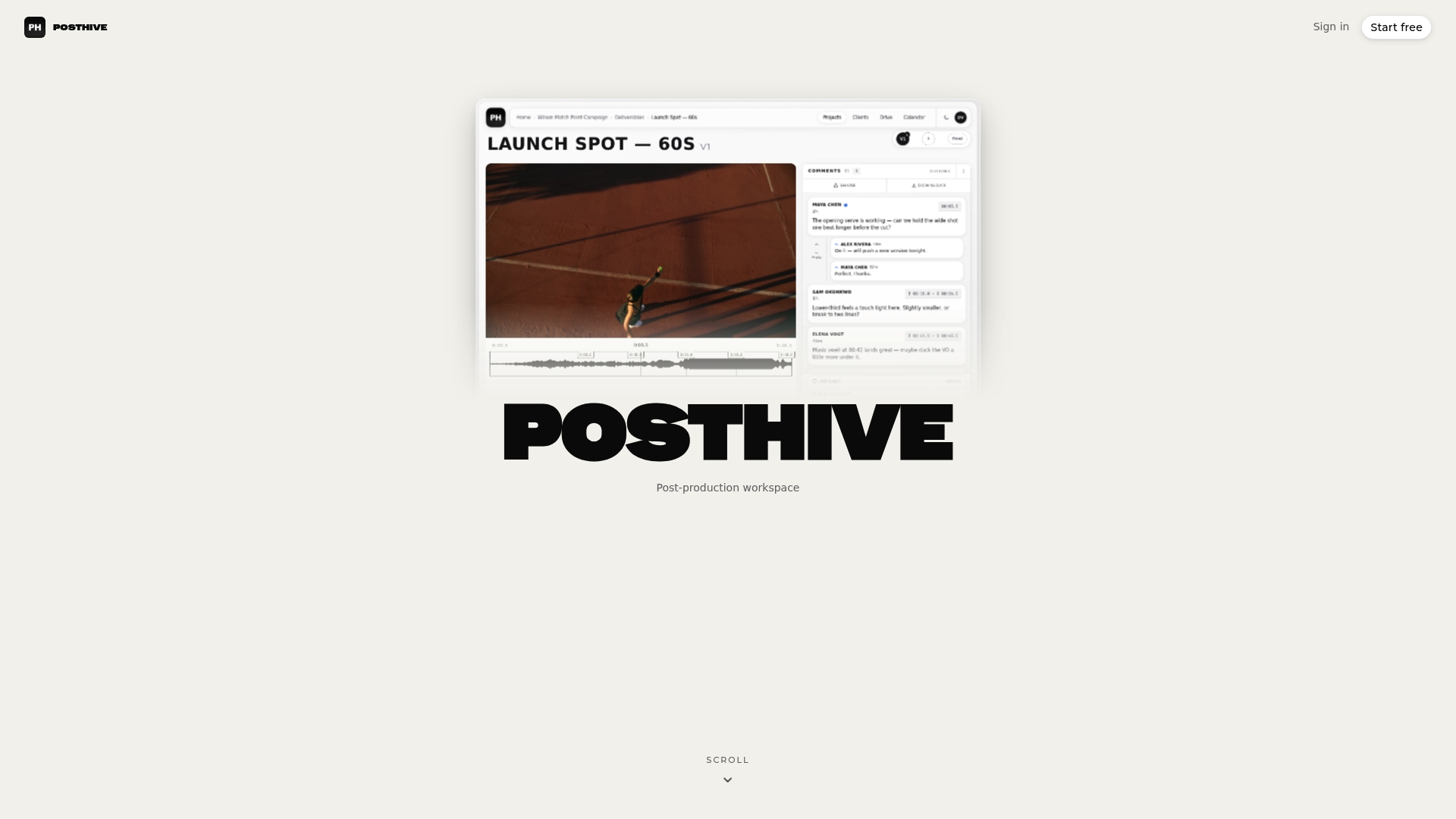
That is where a dedicated post-production workspace earns its place. In Posthive, review, version control, task and deadline tracking and client approval tracking sit in one project, so a note is attached to the cut it was written against and the approval is recorded where the team can see it. Every plan includes unlimited free seats, which matters for review specifically: the client, the client’s boss and the legal reviewer can all be invited to watch and comment without anyone paying per seat, and you can still ask them to route the final word through one decision owner.
If you want the deeper mechanics, our own guides go through each piece:
- Timecode comments: four rules editors use to stop markers drifting away from the moment they describe.
- Video comment management: four rules that keep comment threads usable for creative teams.
- Consolidating feedback: turning scattered notes into one clear set of revisions.
- Asynchronous video feedback: timecodes and version control when reviewers are in different time zones.
- Importing timecoded comments as NLE markers: getting review notes into the editing timeline in one import.
Posthive also offers plugins for NLEs (non-linear editors, the software editors cut in) and integrates with Google Calendar, so review windows and delivery deadlines can sit alongside the rest of your schedule.
A worked example: reviewing a brand motion pack
A documented example is the brand motion pack on the Showtime project. The brief called for a 3D logo sting in wide, square and vertical formats, four lower thirds and branded transitions. Reviewers chose a concept, commented on how the logo lands and where the wordmark sits, flagged a lower-third detail, and had craft defects fixed before shipment.
Mapped onto the stages above, that looks like this:
- Concept stage: pick one direction instead of blending three.
- Animation draft: “At 0:03 the wordmark appears before the logo settles” is an observable, timestamped note.
- Format pass: check the wide, square and vertical versions separately, since safe areas differ.
- Final QC: confirm colors against the brand codes, check text accuracy and confirm durations.
Three formats and several elements mean dozens of small notes. Without versions and timecodes attached to each, nobody could say which fix belongs to which file.
Perspective
Most review problems we see described by creative teams are not creative problems. They are bookkeeping problems: which version, which moment, who has the final say.
We built Posthive on the belief that the client should own the deliverables and the versions, and that reviewing should not cost more as more people join. That is why every plan includes unlimited free seats. Reviews improve when everyone with a stake can see the same cut and comment on it, and a per-seat fee pushes teams to share files by email instead.
Our advice for motion work is simple. Approve in stages, write notes against timecodes, name one decision owner per round, and keep the comments, the cut and the approval in the same place. When those four things hold, the animator spends the time on animation.
Lorenz
Put the workflow in one workspace
If you are a freelancer, studio or agency running motion reviews, Posthive gives you project management, version control, collaborative review, client feedback and approval tracking and secure media delivery in a single platform. There is a free plan, and the paid plans are Pro at $49 per month and Enterprise at $99 per month, with storage and feature tiers differing between them. You can see the details on the pricing page, or start from the Posthive homepage.
For a wider view of how reviews fit into a full project, our guides to video project management and the post-production checklist from ingest to archive cover what comes before and after.
FAQ
How many revision rounds should a motion graphics project include?
Two is a common standard. Growth Rocket’s approach includes two rounds per deliverable and requires a change order for a third. Whatever number you choose, define a round as one consolidated set of notes from one approver and write that into the kickoff.
What is the difference between a correction and a change?
A correction fixes an error or a departure from something already approved, such as a misspelled name or a wrong logo. A change is a new request after approval, such as a different concept, and it can affect schedule and cost. Naming the difference keeps review conversations calm.
When should I give feedback on color and sound?
Wait until those elements are actually in the draft. Review story and order at the storyboard, timing at the animatic, and movement and clarity at the animation draft. Check color against the brand codes, along with audio sync and text, at the final render.
What makes a good timestamped note?
It names the moment, describes what you see and says why it matters to the viewer. Use a single timecode for a local defect and a range when a problem builds over a sequence. Mark whether it is a blocker or a preference.
Sources
- The Motion Graphics Production Process and What Drives Cost, Thebes
- How to Review Animation Drafts: Best Client Guide
- The Ultimate Guide to Reviewing Your Video Project, Control Shift Video
- Motion Design Principles for Marketing Videos, Vizualy
- How to Give Motion Design Feedback with Timestamps, OpenDesign
- Motion Design Feedback: How to Give Better Creative Direction
- How to finish After Effects projects faster, Wedesignmotion
- How We Structure Creative Reviews So Clients Don’t Derail Timelines, Growth Rocket
- Animation Service Agreement: Style and Revision Terms, Contractable
- Example 20: Brand motion pack, Showtime
- Video Highlight Reel Tips: Cut, Pace and Share Yours
- Online branding checklist: your 2026 strategy guide