How to Organize Media Assets for Faster Post-Production
How to Organize Media Assets for Faster Post-Production
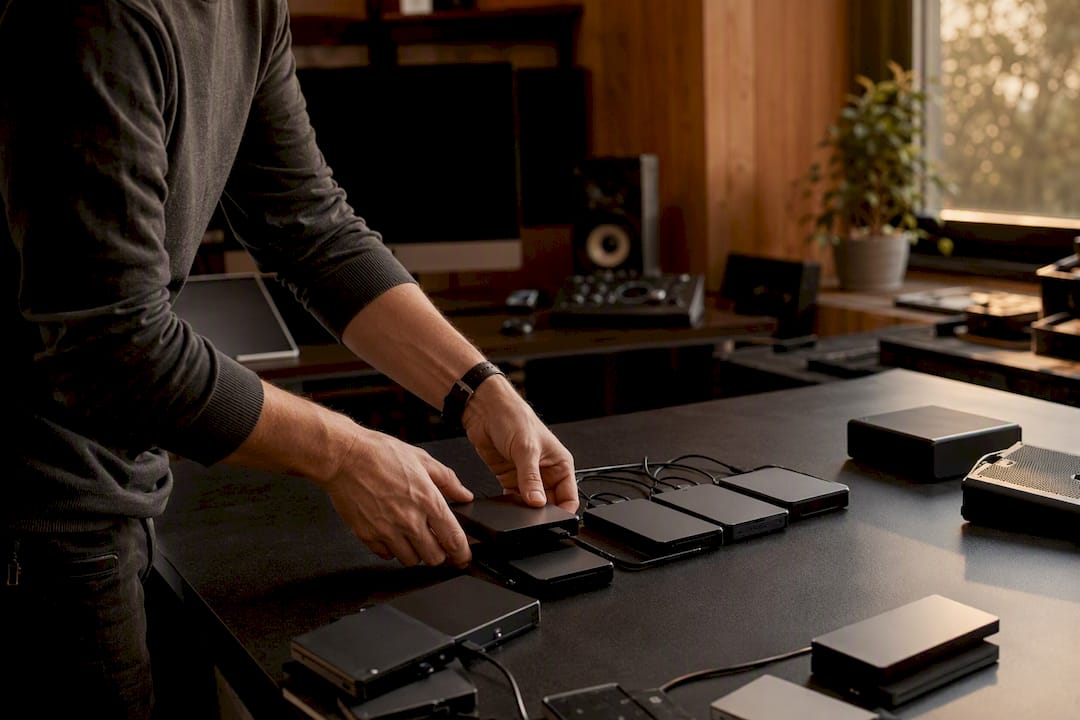
To organize media assets reliably, centralize masters, adopt a consistent YYYY-MM-DD naming scheme, attach minimal required metadata, and enforce a short ingest and archive cadence. Everything else, folder templates, storage tiers, permissions, is a variation on those four moves. Get them right and you stop losing footage, stop relinking timelines, and stop paying editors to hunt for files instead of cutting them.
Start with this checklist today:
- Centralize masters in one canonical library, not scattered across drives or laptops.
- Use a YYYY-MM-DD filename prefix and a strict
_v01,_v02versioning rule. - Build a project-first folder template with numbered subfolder prefixes.
- Run ingest, offload, audit, tag, proxy, within one hour of capture.
- Move finished projects to cold storage within about a month and back up using the Rule of 3.
- Assign one person to own library governance and enforce the rules above.
Key Takeaways
Reliable media organization comes down to one canonical library, a consistent date-based naming scheme, minimal required metadata, and a strict ingest-to-archive cadence enforced by one accountable owner.
| Point | Details |
|---|---|
| Centralize the library | Keep one canonical source for masters instead of scattered drives or personal laptops. |
| Standardize filenames | Use a YYYY-MM-DD prefix plus a strict version suffix like _v01 on every file. |
| Ingest within an hour | Offload, audit, tag, and proxy new footage before anyone opens an edit project. |
| Archive on a 30-day clock | Move finished projects to cold storage with a manifest, backed by the Rule of 3. |
| Adopt Posthive for governance | Posthive’s templates, version history, and approvals build these habits into daily workflow. |
Table of Contents
- Organize Media Assets With a Scalable Folder Structure
- What Naming Convention Should You Use for Media Files?
- Should You Store Media Locally, on a NAS, or in the Cloud?
- How Do You Ingest and Catalog New Footage Correctly?
- How Do You Make Media Assets Searchable Later?
- Stop Duplicating Files: Single Source of Truth Rules
- Who Should Have Access to Your Media Library?
- When Should You Archive Completed Projects?
- How Often Should You Audit and Clean Up Your Media Library?
- Ready-to-Copy Folder and Filename Templates
- Why a Structured Media Library Actually Pays Off
- How Posthive Helps You Organize Media Assets Faster
- Sources
Organize Media Assets With a Scalable Folder Structure
Every relinking nightmare starts the same way: a folder structure invented on the fly, three projects deep, that nobody can predict. A project-first structure fixes that. The top level is YEAR_ProjectName. Inside, numbered subfolders keep everything in a fixed order regardless of operating system or which non-linear editor opens it, since numbers sort before letters and stay put across Windows, macOS, and Linux file systems.
A standard post-production skeleton looks like this:
01_Footage(raw camera masters, kept on hot storage during the edit)02_Audio(production sound, ADR, music stems)03_GFX(titles, lower thirds, VFX plates)04_Project-Files(NLE project files, timelines, saved versions)05_Exports(client-facing renders, proxies, deliverables)
Full production teams often add 06_Documents for contracts and call sheets, and 07_Archive-Manifest once the project closes. Freelancers can strip it down to four folders and skip the manifest until delivery. Either way, 01_Footage and 04_Project-Files stay on fast local or NAS storage while the edit is live; everything else can move to cloud or cold storage the moment a deliverable ships. This numbered-prefix approach is standard in professional post-production folder templates, and it’s the detail most teams skip until they’ve already lost a week to a broken relink.
What Naming Convention Should You Use for Media Files?
Camera-generated filenames like IMG_4523.mp4 tell you nothing and sort in whatever order the camera happened to assign them. Rename on ingest, not later.
The pattern that works: YYYY-MM-DD_topic[_v01]. A shoot from March 2026 becomes 2026-03-14_ClientBrandLaunch_v01.mp4. This YRMODA prefix forces chronological sorting automatically, which matters once a project spans months and dozens of shoot days, a problem University of Washington’s file-naming guidance addresses directly for exactly this reason.
Versioning rules should be non-negotiable:
- Increment
_v01,_v02, and so on with every substantive edit; never overwrite a file in place. - Never rename a file mid-edit, since your NLE tracks it by path and name, and a mid-project rename breaks every reference.
- Reserve semantic tags (
_FINAL,_APPROVED) for the terminal version only.
Beyond the filename, attach a minimal metadata set: title, campaign, license, usage rights, aspect ratio, approval status, keywords, creator, and shoot date. Store it centrally rather than as scattered sidecar files, so one canonical record answers “can we use this” without opening the file.
Pro Tip: Put shoot date and campaign name in both the filename and the metadata field. Filenames get copied into emails and chat messages where metadata doesn’t travel with them.
Should You Store Media Locally, on a NAS, or in the Cloud?
The honest answer is “it depends on who’s touching the file and how fast.” Active editing wants low latency, which means local drives or a NAS on the same network as the edit bay. Remote collaboration and long-term retention want the cloud, where reviewers and clients can reach files without a VPN.
Most post-production teams end up hybrid: active projects live on local or NAS storage, finished projects and shared review copies move to the cloud. It works well until someone forgets to sync the archive step, which is the most common hybrid failure mode, and a project quietly exists in two states with no one sure which is current.
Before picking an architecture, run through this checklist:
- How many editors need concurrent access to the same footage?
- What resolution and codec are you shooting, since 8K raw behaves nothing like 1080p proxies on a network drive?
- What’s the monthly budget, factoring in cloud egress fees, not just storage cost?
- Is the team distributed across time zones or in one building?
A five-person team cutting 4K in one office rarely needs the same setup as a distributed team juggling client reviews across three continents.
How Do You Ingest and Catalog New Footage Correctly?
The ingest window, the first hour after a card comes off a camera, is where most media libraries go wrong or right. Skip it and you’re relinking broken paths a month later.
- Offload immediately to a temporary
ToSortfolder on fast storage; verify the copy with a checksum where your ingest tool supports it. - Run a quick audit: identify masters, flag anything corrupted or duplicated, and generate proxies for editing.
- Rename files to the YYYY-MM-DD convention and tag with shoot metadata before anyone opens an NLE project.
- Move sorted, tagged, proxied files into the permanent project folder structure.
This sequence, offload, audit, proxy, catalog, mirrors what video asset management practitioners recommend for avoiding lost footage. Import within an hour of capture; add proxies and basic metadata immediately, not at the end of the day when memory of which card held what has already faded.
How Do You Make Media Assets Searchable Later?
A library with ten thousand assets and no searchable metadata is really just a very expensive junk drawer. Controlled vocabularies, a fixed list of approved tags rather than freeform text, keep search results consistent across a team that includes new hires who’ve never seen your naming conventions.
Human tagging alone doesn’t scale past a few hundred assets a month. AI-driven visual and scene analysis fills the gap, letting you search by content (“beach shots,” “product close-up”) even when nobody manually tagged the clip that way.

Collections and shortcuts solve a different problem: the same hero shot might belong in a campaign folder, a “best of” reel, and a client deliverable folder simultaneously. A modern media library architecture supports exactly this, letting one asset live in multiple logical groupings through shortcuts instead of duplicate files eating storage three times over.
Filters worth building into any search interface:
- License and usage rights (stock vs. owned vs. client-restricted)
- Aspect ratio (vertical, 16:9, square)
- Approval status and in-use status across active projects
Stop Duplicating Files: Single Source of Truth Rules
Every duplicate file is a decision deferred, not a decision avoided. Someone eventually has to figure out which copy is current, and by then both have diverged.
The fix is structural, not disciplinary:
- Preserve the original master untouched; every edit becomes a new version, never a file copy.
- Reference the canonical asset from other projects using shortcuts or aliases rather than copying it into each new project folder.
- When an active asset needs replacing, notify everyone using it, push the update centrally, and keep the prior version available for rollback.
- Run periodic checks for orphaned files, assets nothing currently references, and reclaim that storage.
This is the same shortcut logic Sanity’s Media Library documentation describes: upload once, reference everywhere, rather than uploading the same hero shot into five project folders because five projects happen to use it.
Pro Tip: Before archiving any project, run a duplicate finder across the footage folder first. It’s common to discover the same interview clip saved four times under four different names.
Who Should Have Access to Your Media Library?
Governance sounds bureaucratic until the week a client-restricted asset gets published a day early because three people had edit access and nobody owned the approval gate.
Keep roles simple: owner, editor, reviewer, viewer. Default new team members to viewer and elevate deliberately, rather than defaulting everyone to editor because it’s faster to set up.
- Use time-limited share links for sensitive or unreleased deliverables instead of permanent public links.
- Store approval status and approval date directly in the asset’s metadata, so nobody can accidentally pull an unapproved cut into a delivery folder.
- Keep an audit log of who accessed or moved sensitive files.
- Name one contact for permission exceptions, so “can I get access to this” doesn’t become a five-person email thread.
Documented, written-down standards for access and naming are exactly what platform best-practice guidance recommends, because unwritten rules only live in the heads of whoever set them up, and that person eventually leaves.
When Should You Archive Completed Projects?
Storage doesn’t need to be expensive if you’re honest about what’s actually active. The Rule of 3 is the baseline: one active working copy, one local backup, one cloud archive copy. Losing any single copy still leaves you two.
- Keep the active copy on hot storage only while editing is genuinely in progress.
- Move completed projects to cold storage within roughly 30 days of final delivery, and generate a manifest listing what’s in the archive and where, following the same timeline video cataloging guidance recommends.
- Set retention windows by asset type: raw camera masters might need years for reuse rights, while temporary proxy files can be deleted the week a project wraps.
- Before deleting anything, confirm the archive copy verifies correctly and the manifest reflects what’s actually there, not what should be there.
How Often Should You Audit and Clean Up Your Media Library?
A library left unmaintained for a year doesn’t fail all at once. It fails one orphaned file, one expired license, one duplicate at a time until search becomes useless.
- Monthly: scan for expiring licenses and obviously orphaned assets nothing currently references.
- Quarterly: run a fuller audit and push eligible completed projects into cold storage.
- Ongoing: flag unused high-resolution masters for compression or archival instead of letting them sit on expensive hot storage indefinitely.
- Assign clean-up ownership to one person and write down what counts as an exception worth keeping.
Ready-to-Copy Folder and Filename Templates
Copy this structure directly: 2026_ClientProject/01_Footage, 02_Audio, 03_GFX, 04_Project-Files, 05_Exports. Freelancers can collapse GFX into Footage and skip a dedicated documents folder.
- Master file:
2026-03-14_ClientBrandLaunch_v01.mov - Proxy file:
2026-03-14_ClientBrandLaunch_proxy_v01.mov - Required metadata: title, shoot date, license, approval status. Optional: keywords, aspect ratio notes, internal comments.
Why a Structured Media Library Actually Pays Off
Teams that enforce this system spend less time searching and relinking, and more time cutting. Fewer broken references at delivery time means fewer late nights fixing what a clean ingest process would have prevented.
The real cost of a disorganized media library isn’t the storage bill. It’s the hours an editor spends hunting for a file that a five-minute ingest step would have made instant to find.
Posthive’s project templates, version history, and approval tracking map directly onto the practices above, without requiring a separate governance tool bolted on afterward.
One editor’s take on keeping the system alive
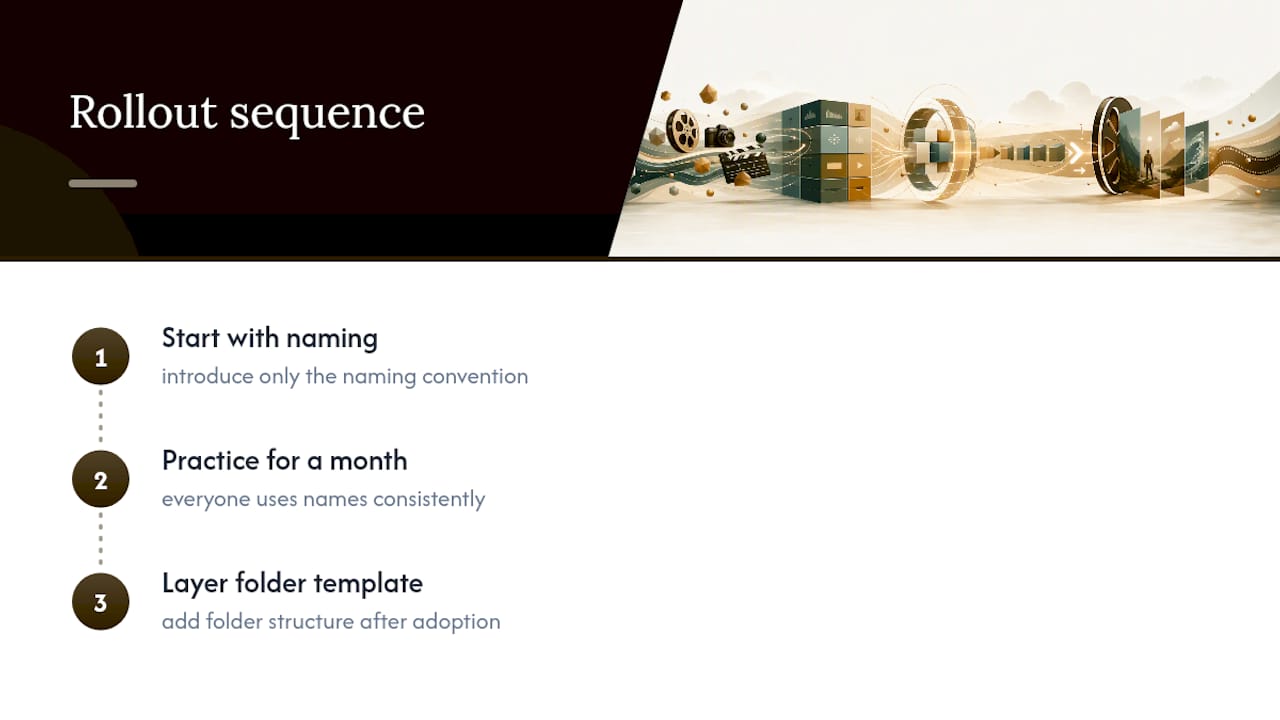
I’d rather run a lean five-folder structure everyone actually follows than an elaborate twenty-folder taxonomy nobody remembers to use. Consistency beats cleverness every time. If you’re rolling this out across a team, don’t mandate everything at once, start with the naming convention alone, get everyone doing that for a month, then layer in the folder template.
How Posthive Helps You Organize Media Assets Faster
Posthive is built for teams that want the structure described above without building it from scratch in a shared drive. Instead of a folder tree that only makes sense to whoever set it up, Posthive gives every project a template with version history baked in, so a new cut never overwrites the last approved one by accident.

Approvals live with the asset itself, timestamped and visible to everyone with access, which means the governance rules in this guide, approval status, ownership, permission tiers, come already built into the workflow rather than tacked on with a spreadsheet. Cloud connectivity means your active project and your archive copy stay in sync without someone manually pushing files at the end of the week. If your team is still relinking broken paths and hunting for the “real” final version, start a project on the Posthive workspace and see how much of this guide it handles automatically.
Sources
- File and folder naming conventions | University of Washington
- Media Library introduction | Sanity
- Best practices for organizing assets | Optimizely Support